







List of Useful R Packages
The R programming language provides a huge list of different R packages, containing many tools and functions for statistics and data science.
This page shows a list of useful R packages and libraries. By clicking on the items below, you will get further information on each of the packages. This includes tutorials and examples for important functions of each package.
Please let me know in the comments, in case you want to learn more on any specific package or function.
Tutorials on Packages in R






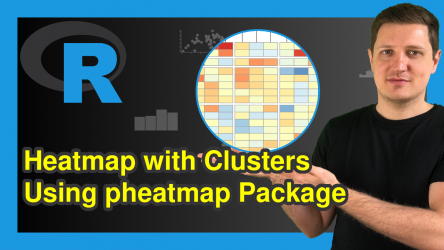



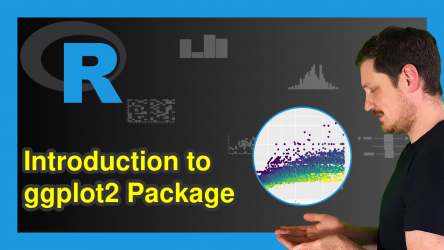
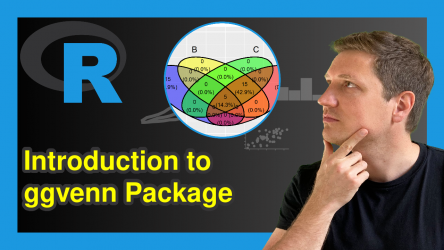

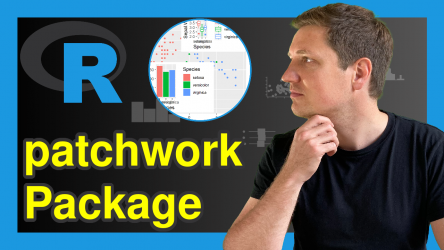



Load More
18 Comments. Leave new
Hi, Joachim Schork.The algorithm contains many branches (if, then) and is already difficult to debug. Maybe there is a package that will allow you to graphically represent the branches and variables defining the branch ??? Thanks
Hey,
Thanks for the comment! Could you explain your problem in some more detail? I’m not sure if I get it 🙂
Regards
Joachim
May i know how change fonts in R mark down
Hey Kasun,
I have never done this myself, but this thread seems to explain how to do this.
Regards,
Joachim
Hi, Mr. Joachim. from Uzbekistan watching your youtube channel. I really like your all tutorials. Thanks for sharing such precious information for the benefit of young learners.
Hello,
Thank you 🙂 It is great to hear such nice words. Keep following us, we are here to help!
Regards,
Cansu
Please share me about how to run System GMM using Panel data in r with a sample paper.
Hello Wain,
This article might be useful.
Best,
Cansu
Hello Joachim,
I’m just getting started with R (albeit with 40+ years programming experience – first FORTRAN and then SAS). I watched your video on setting a working directory, saving and then loading a file (file.Rda). I bought 2 books on R (700+ pages each) and they don’t tell me any of this stuff (worthless).
Problem is that when I do stats on the loaded file I get nonsense.
I’m in RStudio and here’s the log from the Console (I’m sure it’s a simple syntax matter, but nowhere can I find the documentation on how to do this simple stuff to get started:
> setwd(“C:/SPP/Marketing Dashboard/Marketing Dashboard 2024″)
> # Read csv file
> Data_for_Jack_Fall_2024 # Save as .Rda file and load
> save(Data_for_Jack_Fall_2024,file=”Data_for_Jack_Fall_2024.Rda”)
> Data_for_Jack_load # Stats on read csv file
> length(Data_for_Jack_Fall_2024)
[1] 41
> nrow(Data_for_Jack_Fall_2024)
[1] 206
> ncol(Data_for_Jack_Fall_2024)
[1] 41
> # Stats on saved and then loaded .Rda file
> length(Data_for_Jack_load)
[1] 1
> nrow(Data_for_Jack_load)
NULL
> ncol(Data_for_Jack_load)
NULL
>
Thank you for your help.
Hey Jack,
I’m not sure why your code doesn’t work, but here is an example how such an exporting/importing process could look like:
Please try this code with your data set.
I hope this helps!
Joachim
Joachim,
I’m sorry, but the copy and paste from the Console came out jibberish.
Try again using the source:
setwd(“C:/SPP/Marketing Dashboard/Marketing Dashboard 2024”)
# Read csv file
Data_for_Jack_Fall_2024 <- read.csv("Data for Jack – Fall 2024.csv")
# Save as .Rda file and load
save(Data_for_Jack_Fall_2024,file="Data_for_Jack_Fall_2024.Rda")
Data_for_Jack_load <- load(file="Data_for_Jack_Fall_2024.Rda")
# Stats on read csv file
length(Data_for_Jack_Fall_2024)
nrow(Data_for_Jack_Fall_2024)
ncol(Data_for_Jack_Fall_2024)
# Stats on saved and then loaded .Rda file
length(Data_for_Jack_load)
nrow(Data_for_Jack_load)
ncol(Data_for_Jack_load)
Hey Jack, please see my response to your other comment.
Hello Joachim,
Thank you for your reply. With the help of your example I found the error in my code. The error is in the
Data_for_Jack_load <- load(file="Data_for_Jack_Fall_2024.Rda")
line (see below):
I thought that I was renaming the data frame as it was being loaded. Instead it just created the name as a variable in the Environment panel. I'm getting it.
Maybe because I have 40+ years doing heavy-duty hands-on analytics programming (BA and MS degrees in mathematics), the stuff that I want to learn up front are:
Installing R and RStudio (which I've already done – obviously)
Navigating the RStudio IDE, but I'm slowly figuring it out. (one of my two books introduces RStudio on p. 751 – you get the idea)
How to start a new project with a clean slate (right now I clean the IDE of the old project by using Edit/Clear Console and the broom for the Environment and History panels and a CTL-A + backspace to clear the Scripts pane (i.e. a 4-step process). Surely there must be a more elegant way to do this!
File/New Project seems to clear everything except the Environment and History panels.
My next challenge is to export my work (charts, graphs, etc.) so I can include them in reports. I believe that I have to use something called R Markdown (which one of my 700-page books doesn't include at all and the other has 2 pages on the subject on p. 758.
Clearly I have the wrong books..
If one of your videos or courses covers these topics thoroughly then I'd be interested. Otherwise I'll google what I'm looking for or buy another 700-page book for $60.00.
Thank you for your help. Sorry to be a bother.
Best regards,
Jack
setwd("C:/SPP/Marketing Dashboard/Marketing Dashboard 2024")
# Read csv file
Data_for_Jack_Fall_2024 <- read.csv("Data for Jack – Fall 2024.csv")
# Stats on read csv file
length(Data_for_Jack_Fall_2024)
nrow(Data_for_Jack_Fall_2024)
ncol(Data_for_Jack_Fall_2024)
# Save the data frame to a .Rda file
save(Data_for_Jack_Fall_2024,file="Data_for_Jack_Fall_2024.Rda")
# Remove the data frame from the environment
rm(Data_for_Jack_Fall_2024)
# Load the data frame from the .Rda file
Data_for_Jack_load <- load(file="Data_for_Jack_Fall_2024.Rda")
# Stats on the loaded .Rda file
length(Data_for_Jack_Fall_2024)
nrow(Data_for_Jack_Fall_2024)
ncol(Data_for_Jack_Fall_2024)
# Stats on Data_for_Jack_load
length(Data_for_Jack_load)
nrow(Data_for_Jack_load)
ncol(Data_for_Jack_load)
Hey Jack,
Thank you for your kind comment, glad you found a solution!
Based on your described needs, I recommend starting with my “Introduction to R” course, followed by the “Data Manipulation in R” course.
The introduction course will cover the basics, giving you a solid foundation to tackle more advanced tasks. (More info)
Afterward, the Data Manipulation course will teach you how to effectively manage data in R, a crucial skill for anything else you may want to accomplish. This course also covers topics like exporting results as graphs and tables. (More info)
Please let me know if you have any further questions.
Regards,
Joachim
Hi , Do you know about R – shiny? what is it ? and how is it applied in the pharmaceutical industry?
Hey,
Yes. R Shiny is an R framework for building interactive web applications directly from R code.
In the pharmaceutical industry, it is commonly used to create interactive dashboards for clinical trial data, explore safety and efficacy results, monitor enrollment and data quality, and communicate results to non-technical stakeholders without exposing raw data.
Regards,
Joachim
Thank you. Where can I learn R Shiny for free?
You are welcome. This series by the Data Professor is great: https://www.youtube.com/watch?v=tfN10IUX9Lo
It is a bit older, so some parts may be outdated.
I hope this helps!
Joachim