







Set Color by Group in ggplot2 Plot in R (4 Examples)
On this page, I’ll show how to specify different group colors in a ggplot2 graph in the R programming language.
The content of the post looks like this:
Let’s dig in:
Example Data, Packages & Default Plot
As a first step, we’ll need to construct some data that we can use in the examples later on:
set.seed(68117534)              # Set random seed
data <- data.frame(x = 1:15,    # Create example data frame
                   y = c(runif(15, 0, 2),
                         runif(15, 2, 6),
                         runif(15, 3, 4),
                         runif(15, 1, 3)),
                   group = rep(LETTERS[1:4], each = 15))
head(data)                      # Print head of example data frame
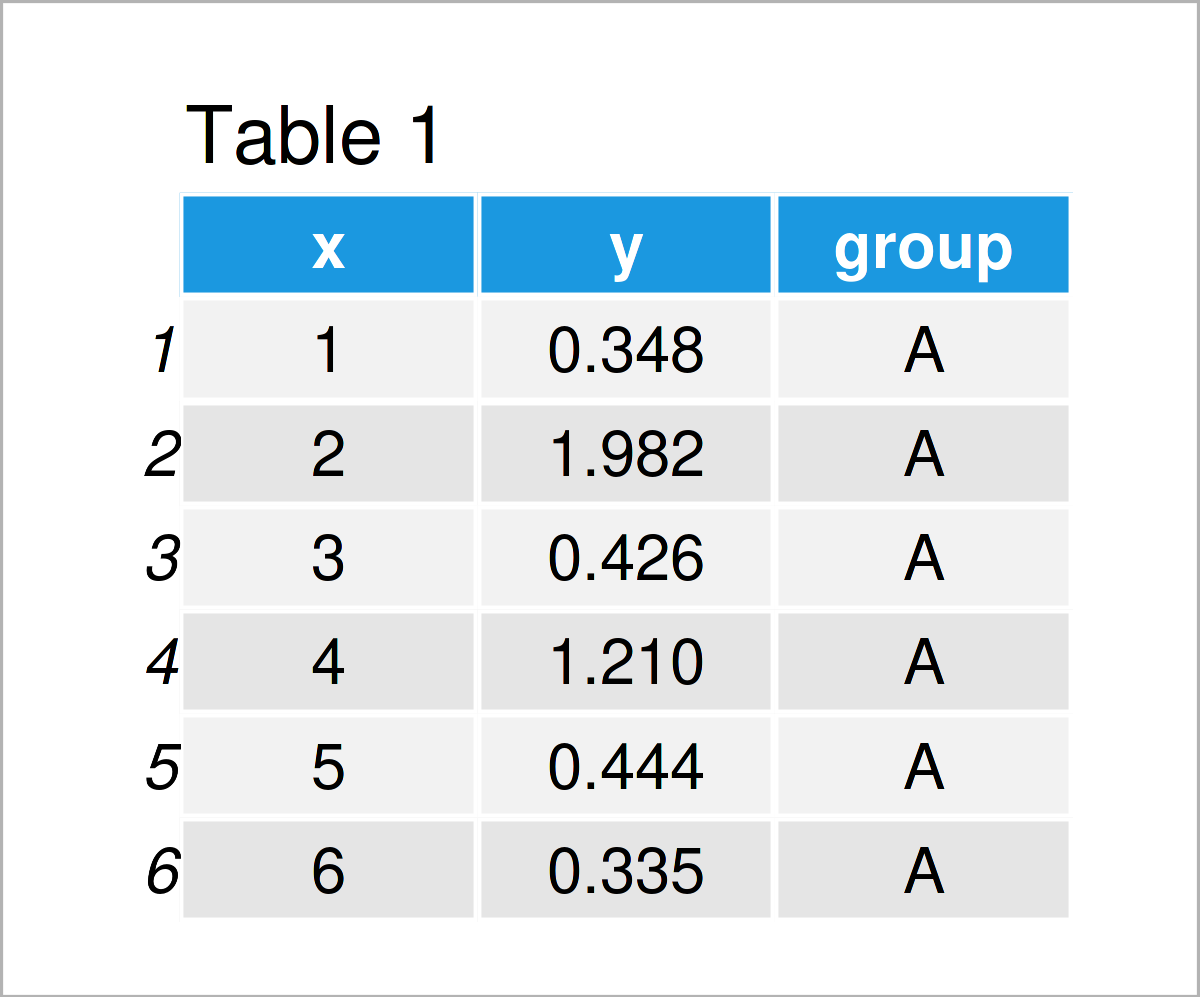
Table 1 shows the first six rows of our example data: it is also shown that the data contains three columns.
For the examples of this tutorial, I’ll also need to install and load the ggplot2 package to RStudio:
install.packages("ggplot2")     # Install & load ggplot2 package
library("ggplot2")
As a next step, we can plot our data without colors:
ggplot(data,                    # Draw ggplot2 plot without colors
       aes(x = x,
           y = y,
           group = group)) +
  geom_line() +
  geom_point()
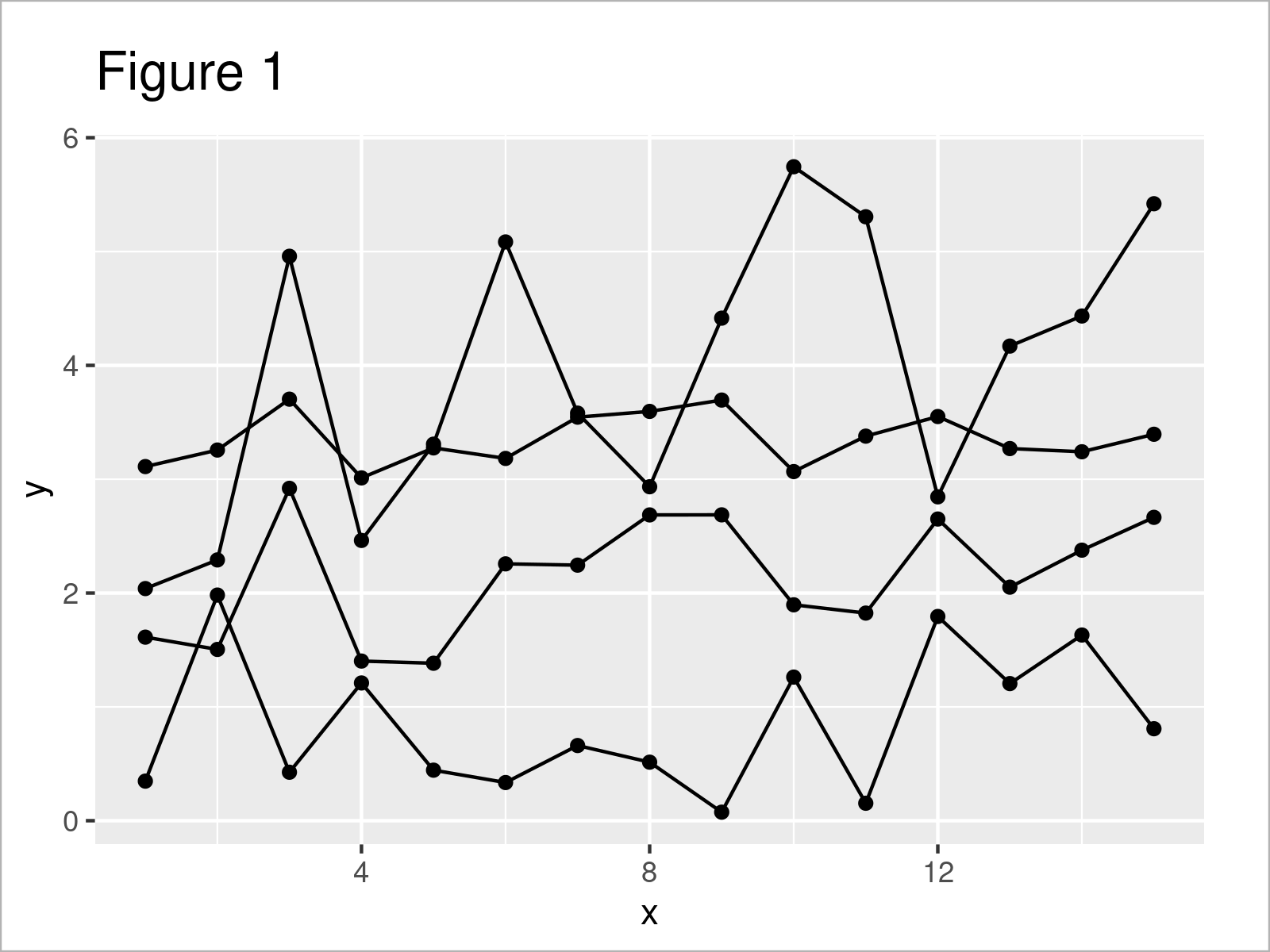
By executing the previously shown R programming syntax, we have drawn Figure 1, i.e. a ggplot2 line and point graphic without any colors.
Example 1: Modify Colors of Single Geom by Group
Example 1 shows how to adjust the colors in a ggplot2 plot by group for a single geom.
In this specific example, we are changing the line colors of our plot:
ggplot(data,                    # Change colors of lines by group
       aes(x = x,
           y = y,
           group = group)) +
  geom_line(aes(col = group)) +
  geom_point()
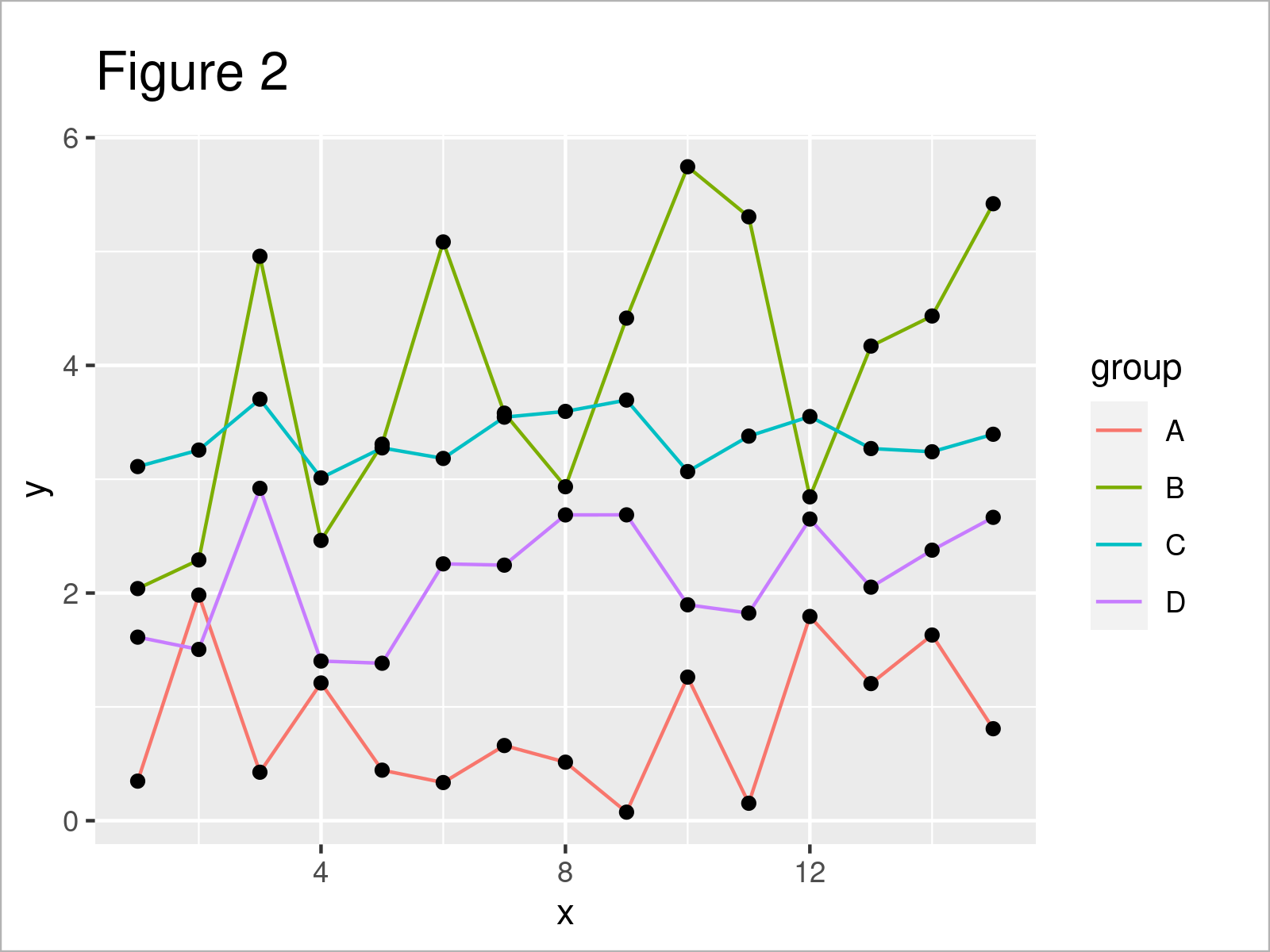
Figure 2 shows the output of the previous syntax: We have adjusted the line colors. However, the color of the points has been kept the same.
Example 2: Modify Colors of All Geoms by Group
It is also possible to change all colors according to the groups in a data set.
To achieve this, we have to specify the col argument within the aesthetics of the ggplot function:
ggplot(data,                    # Change colors of lines & points by group
       aes(x = x,
           y = y,
           col = group)) +
  geom_line() +
  geom_point()
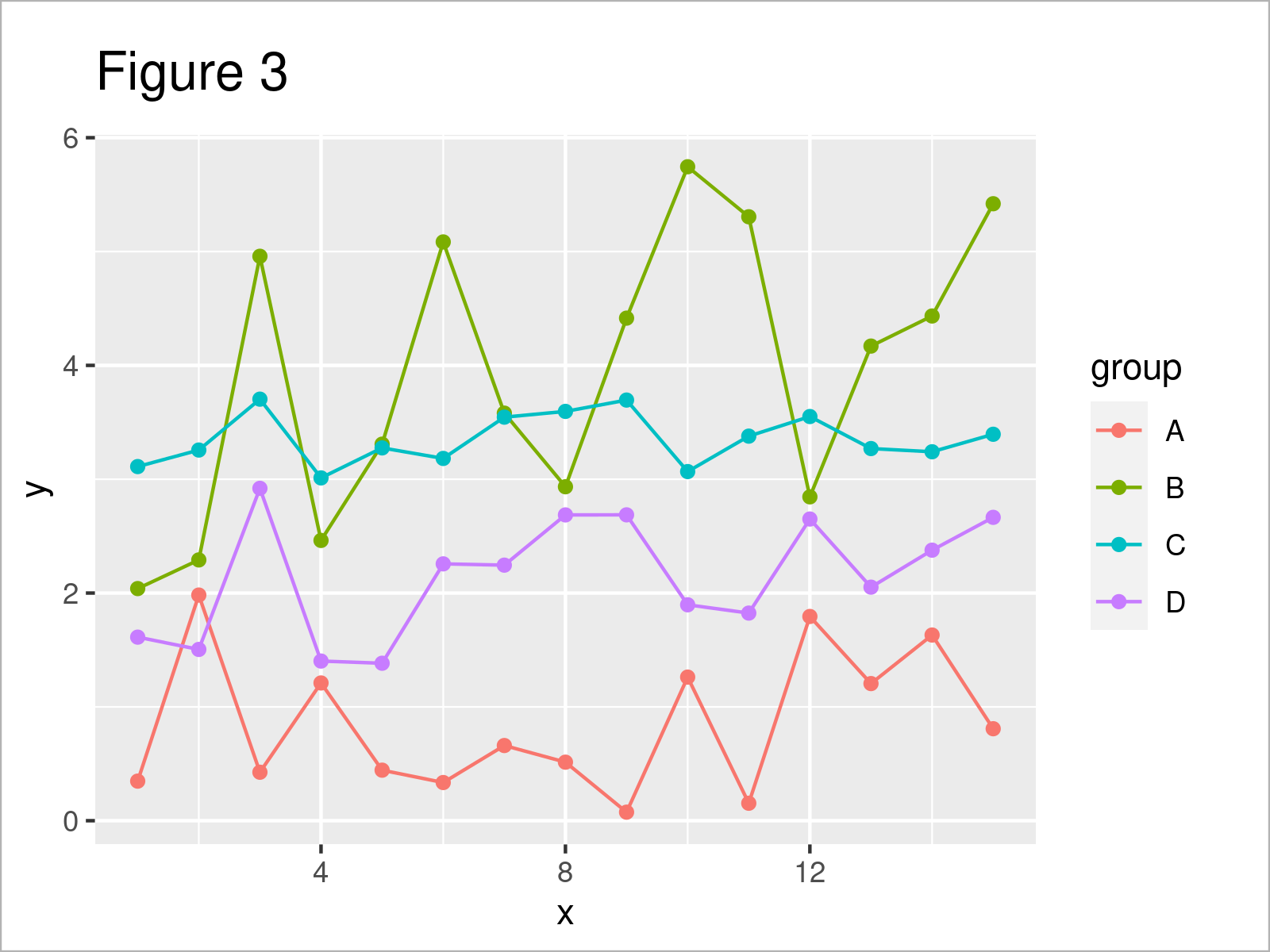
As shown in Figure 3, the previous code has created a new ggplot2 plot where all colors have been changed by group.
Example 3: Using Manual Color Codes by Group
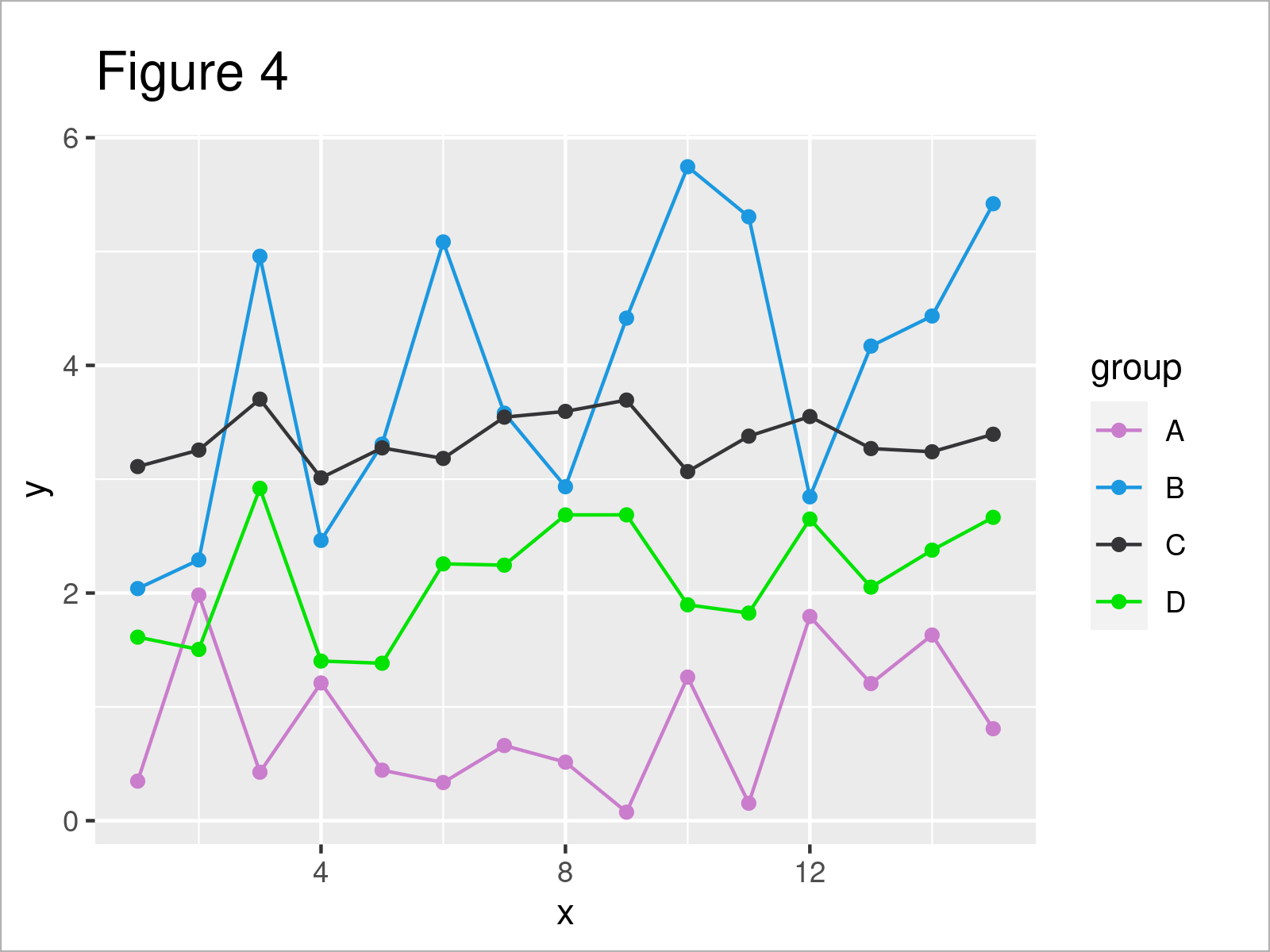
In this example, I’ll demonstrate how to set manual color codes for each group in a ggplot2 graphic.
For this task, we have to use the scale_color_manual function as shown below. Within this function, we can set a different hex color code for each group:
ggplot(data,                    # Specify colors manually
       aes(x = x,
           y = y,
           col = group)) +
  geom_line() +
  geom_point() +
  scale_color_manual(values = c("#ca7dcc",
                                "#1b98e0",
                                "#353436",
                                "#02e302"))
Example 4: Modify Fill Colors of Boxplots by Group
Until now, we have changed the colors in a ggplot2 line and point graph. This example illustrates how to modify the colors of a boxplot graphic.
For this, we can use the fill argument within the aesthetics of the ggplot function:
ggplot(data,                    # Change colors of boxplots
       aes(y = y,
           fill = group)) +
  geom_boxplot()
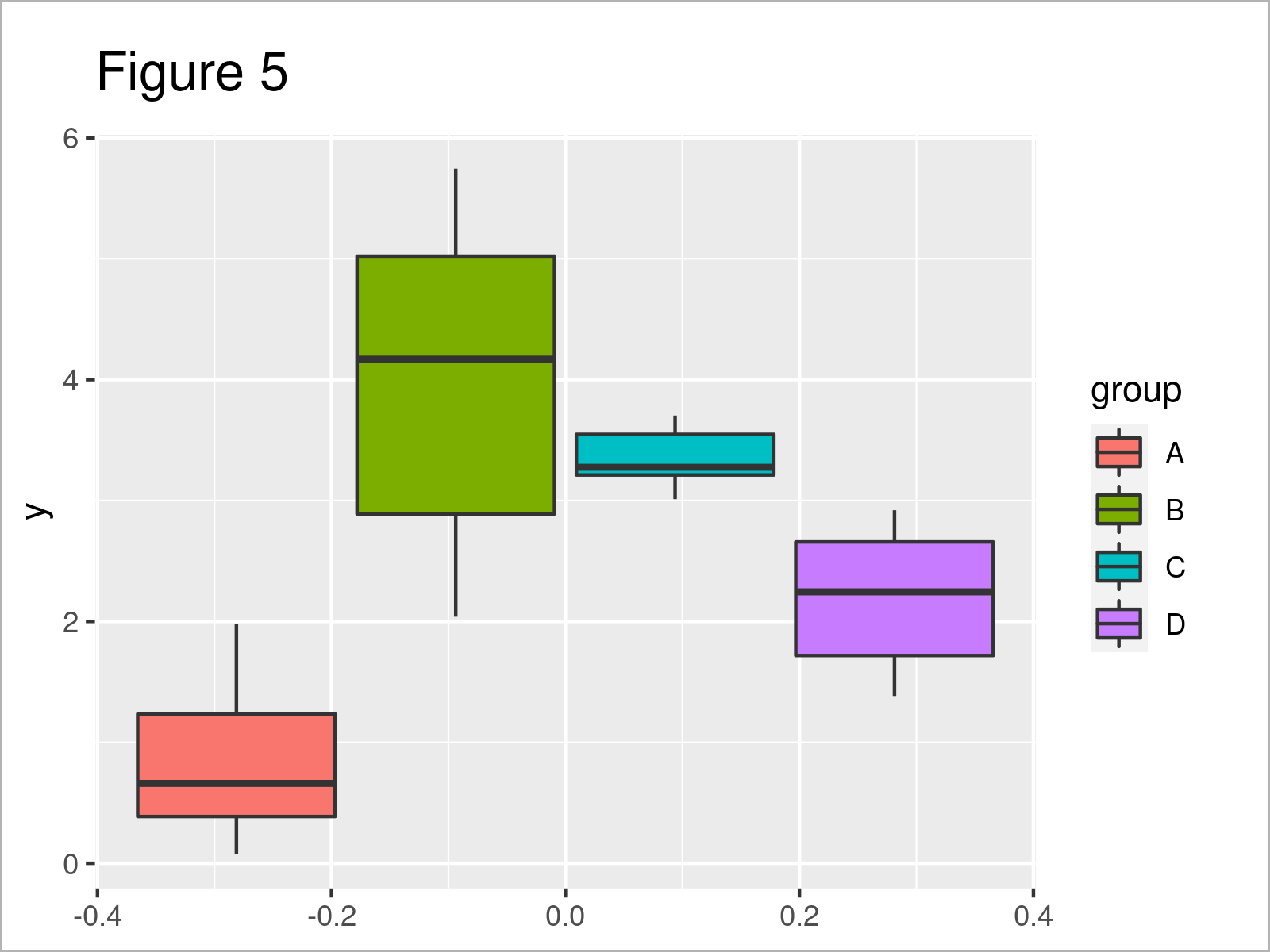
By executing the previous code, we have created Figure 5, i.e. several boxplots side-by-side where each box has a different fill color.
Video, Further Resources & Summary
Have a look at the following video which I have published on my YouTube channel. I explain the examples of this article in the video.
Furthermore, you might have a look at the other tutorials on my website.
- Change Fill and Border Color of ggplot2 Plot
- Set Axis Limits of ggplot2 Facet Plot
- Control Line Color & Type in ggplot2 Plot Legend
- Change Theme Color in ggplot2 Plot in R
- Change Continuous Color Range in ggplot2 Plot
- Plots in R
- Introduction to R
To summarize: You have learned in this article how to set certain group colors in a ggplot2 graphic in the R programming language. In case you have any further questions, don’t hesitate to kindly let me know in the comments section.

I’m Joachim Schork. On this website, I provide statistics tutorials as well as code in Python and R programming.
Statistics Globe Newsletter
Get regular updates on the latest tutorials, offers & news at Statistics Globe. I hate spam & you may opt out anytime: Privacy Policy.


2 Comments. Leave new
Be blessed brother long live
Thank you for the wonderful words. Be blessed as well!
Regards, Matthias