Create data.table in R (3 Examples)
In this R tutorial you’ll learn how to build a data.table object. We also show you how to create a data.table with column names.
The content of the tutorial looks as follows:
Let’s dig in…
Example Data & Add-On Packages
In order to use the functions of the data.table package, we first need to install and load data.table to RStudio:
install.packages("data.table")                    # Install data.table package
library("data.table")                             # Load data.table package
We also create some example vectors which we later combine to a data.table:
x1 <- 1:5                                         # Vector 1
x2 <- letters[1:5]                                # Vector 2
x3 <- c(TRUE, FALSE, FALSE, TRUE, TRUE)           # Vector 3
Example 1: data.table From Vectors
The following R code shows how to combine the previously defined vectors into a data.table.
dt_1 <- data.table(x1, x2, x3)                    # Create data.table
dt_1
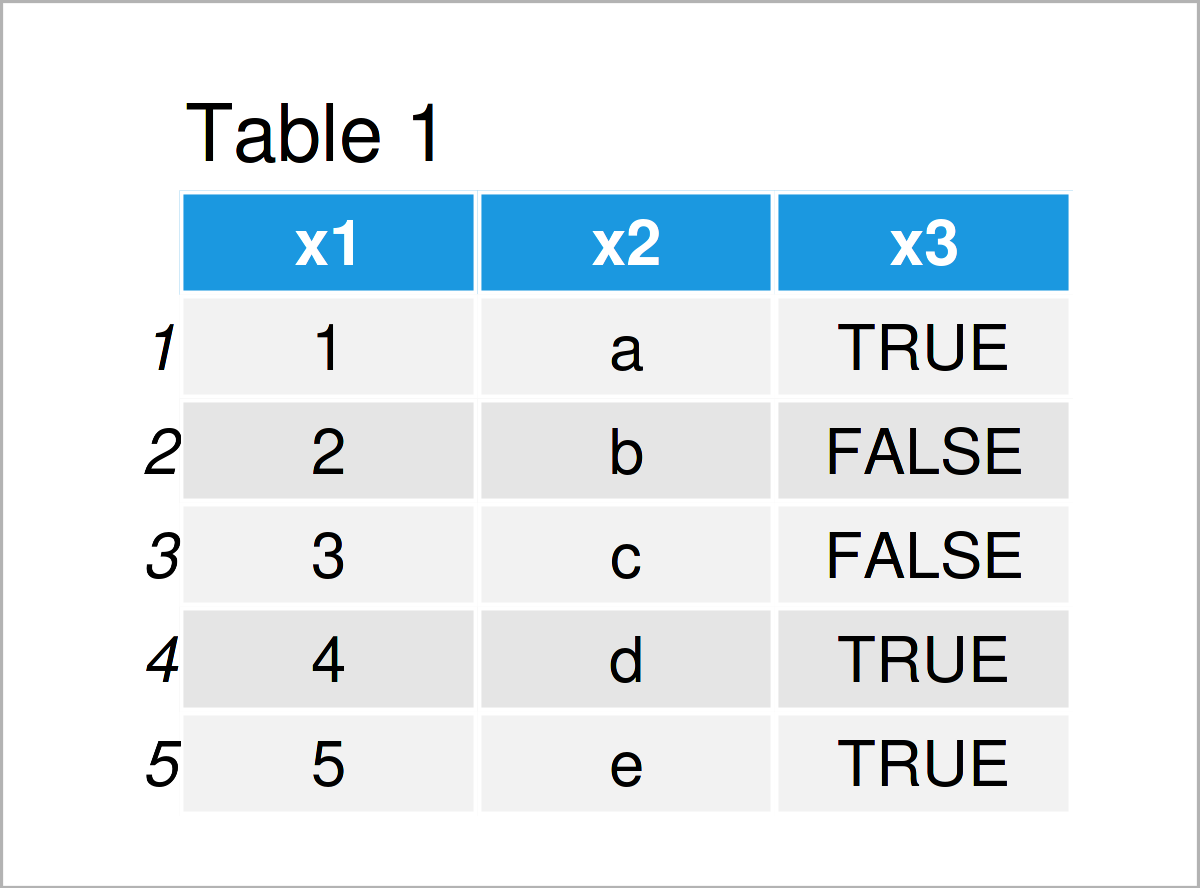
Have a look at the previous Table 1. The data we created has five rows and three variables, which correspond to our input vectors. The column names correspond to our vector names.
Example 2: data.table From Vectors With Specific Column Names
In Example 1, we created a data.table where the column names were automatically set to the input vector names. In Example 2, we generate the same data.table, but explicitly determine the names of the columns.
dt_2 <- data.table("A" = x1, "B" = x2, "C" = x3)  # Create data.table
dt_2
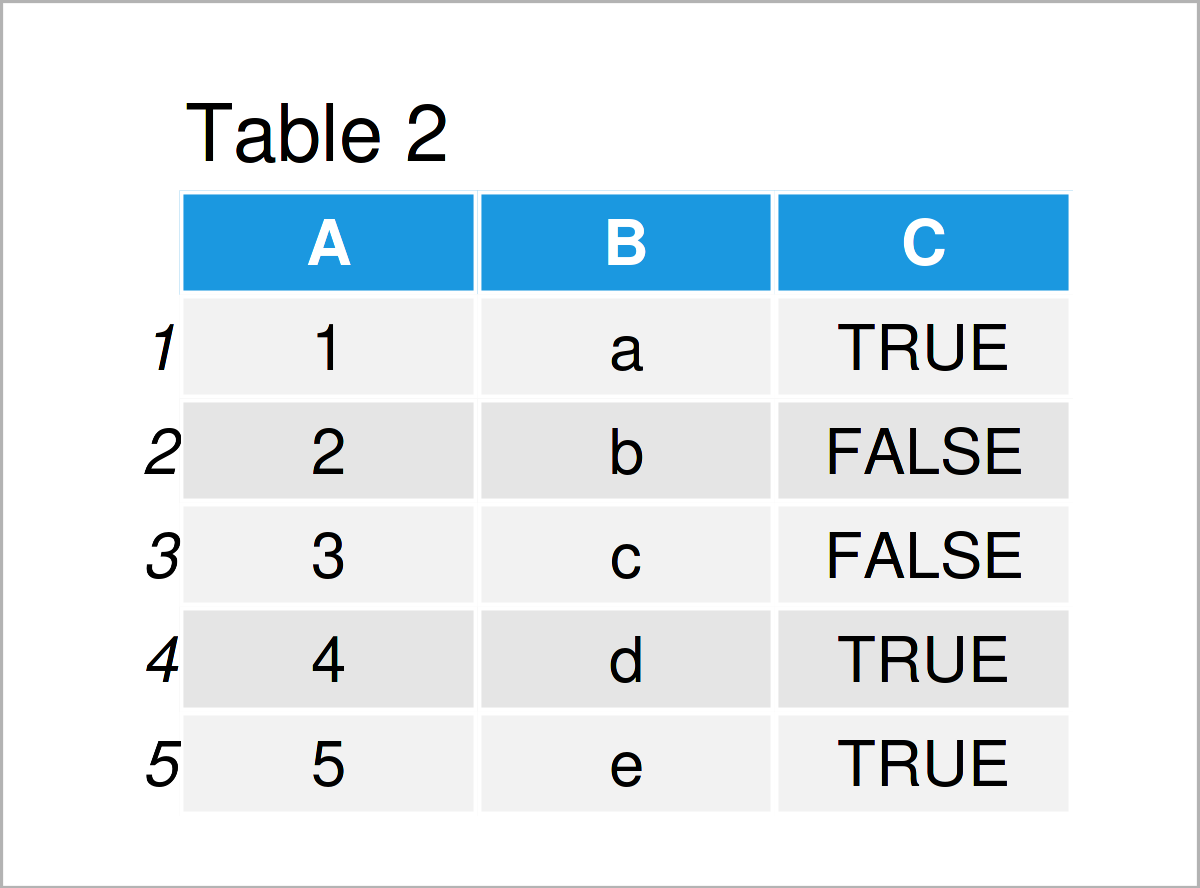
The output of the previous R code is shown in Table 2: Now the columns are called A, B, and C.
Example 3: data.table With Random Values
Instead of creating a data.table from already existing vectors, we can also make it from scratch. Example 3 explains how to, using randomly generated values from the normal, the poisson, and the binomial distribution.
dt_3 <- data.table("A" = rnorm(5),
                   "B" = rpois(5, 5),
                   "C" = rbinom(5, 2, .6))        # Create data.table
dt_3
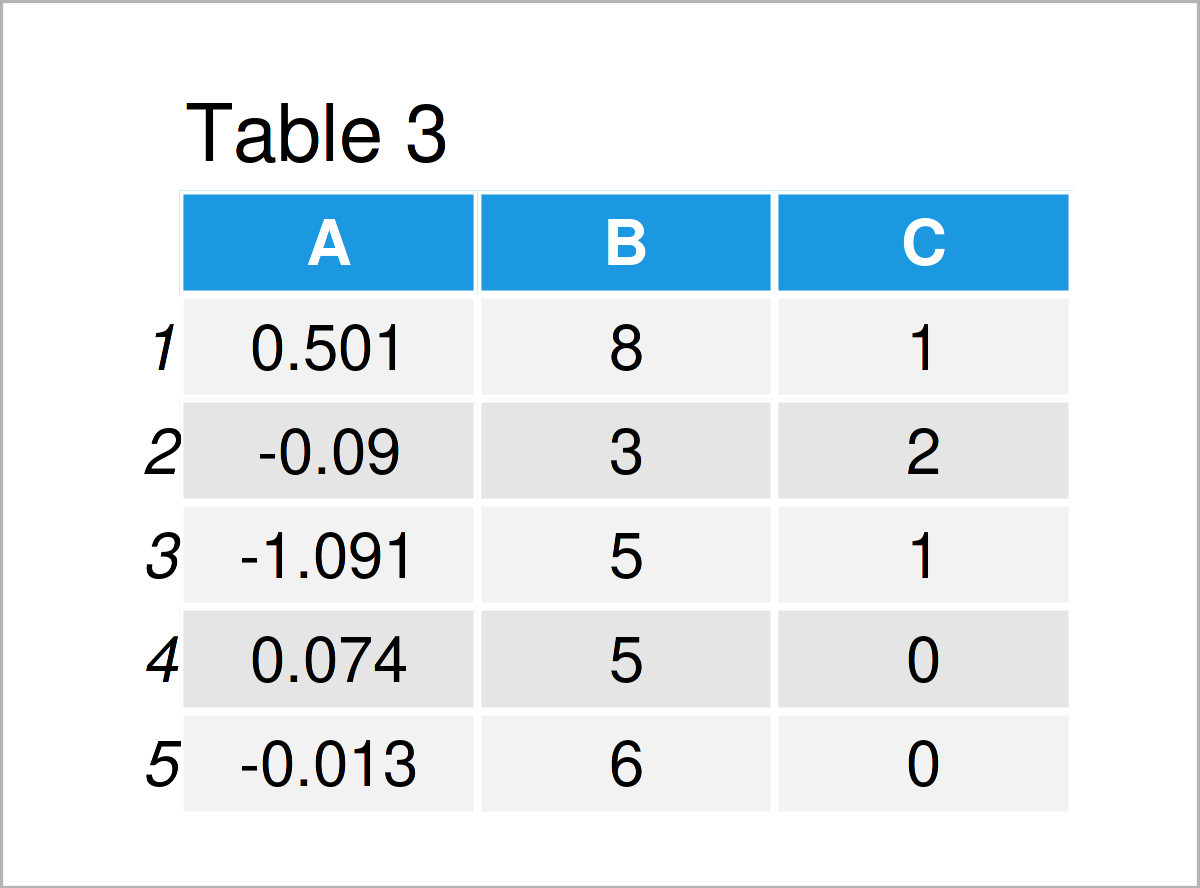
As shown in Table 3, we have created a data.table with random values.
Video, Further Resources & Summary
Do you want to learn more about the generation of a data.table? Then you may have a look at the following video on my YouTube channel. In the video, I’m explaining the R syntax of this post.
The YouTube video will be added soon.
Furthermore, you might want to have a look at some other RStudio tutorials on this website. A selection of tutorials that are related to the generation of a data.table is listed below.
- Aggregate data.table by Group in R (2 Examples)
- Merge Two data.table Objects in R (Example)
- All data.table Tutorials
- R Programming Overview
In this tutorial you have learned how to you can initialize and construct a data.table object in the R programming language. Please let me know in the comments section below, in case you have additional comments and/or questions.

This page was created in collaboration with Anna-Lena Wölwer. Have a look at Anna-Lena’s author page to get further details about her academic background and the other articles she has written for Statistics Globe.

I’m Joachim Schork. On this website, I provide statistics tutorials as well as code in Python and R programming.
Statistics Globe Newsletter
Get regular updates on the latest tutorials, offers & news at Statistics Globe. I hate spam & you may opt out anytime: Privacy Policy.