Add Confidence Band to ggplot2 Plot in R (Example)
In this tutorial you’ll learn how to draw a band of confidence intervals to a ggplot2 graphic in R.
The content of the page is structured as follows:
Let’s just jump right in:
Example Data, Add-On Packages & Default Graph
Have a look at the following example data:
set.seed(657289)                    # Create data frame in R
x <- 1:100
y <- rnorm(100) + x / 10
low <- y + rnorm(100, - 2, 0.1)
high <- y + rnorm(100, + 2, 0.1)
data <- data.frame(x, y, low, high)
head(data)                          # First six rows of example data
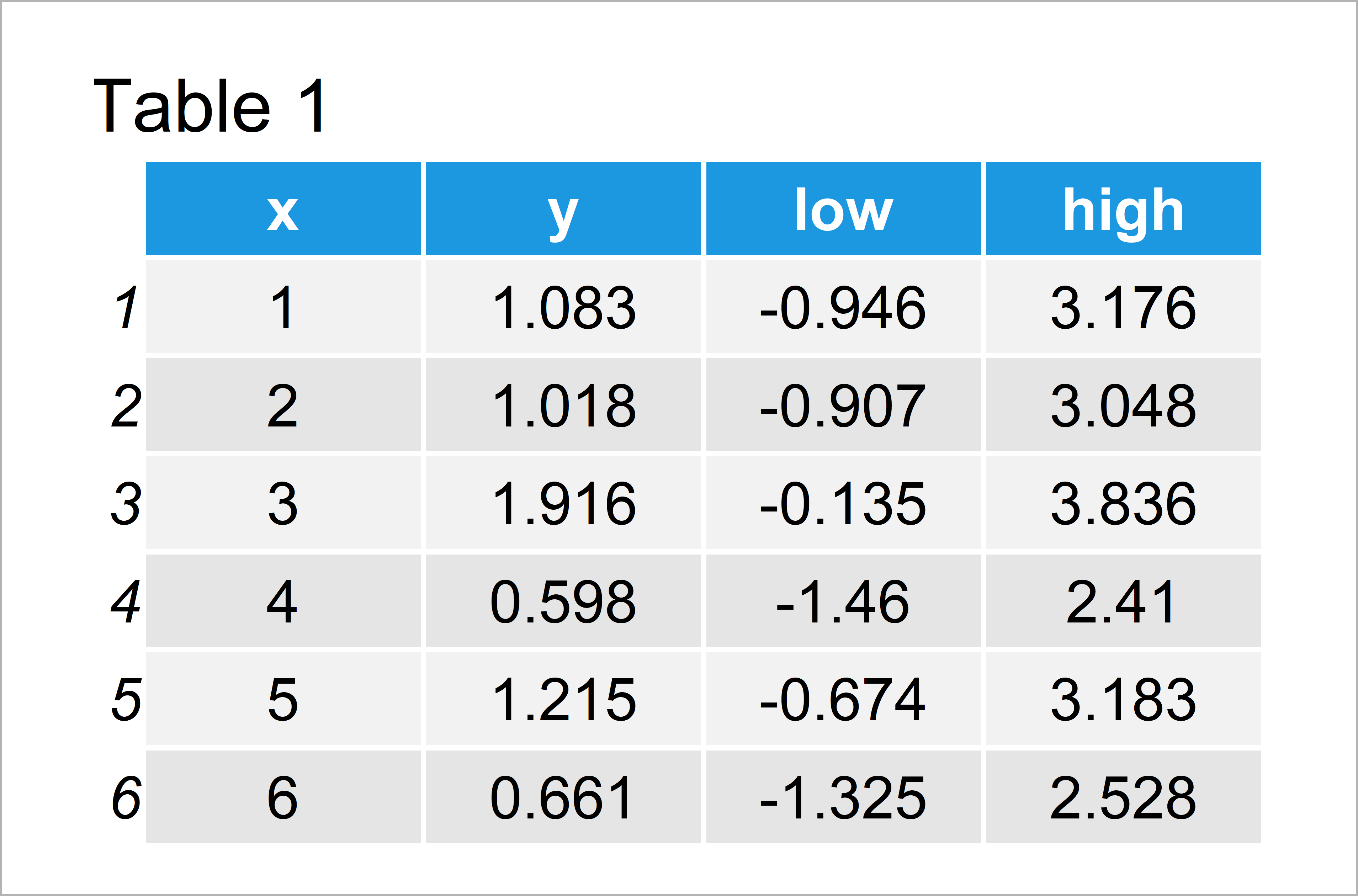
Have a look at the table that got returned by the previous R syntax. It reveals that our example data is composed of 100 rows and four columns.
The variables x and y contain the values we will draw in our plot. The variables low and high contain the corresponding confidence intervals to these values.
Please note that I have created some random confidence values for the sake of simplicity of this tutorial. In case you want to learn more on how to calculate confidence interval, you may have a look here.
In order to draw a graph of our data with the ggplot2 package, we also have to install and load ggplot2:
install.packages("ggplot2")         # Install & load ggplot2 package
library("ggplot2")
As a next step, we can plot our data without confidence band:
ggp <- ggplot(data, aes(x, y)) +    # ggplot2 plot without confidence band
  geom_point()
ggp
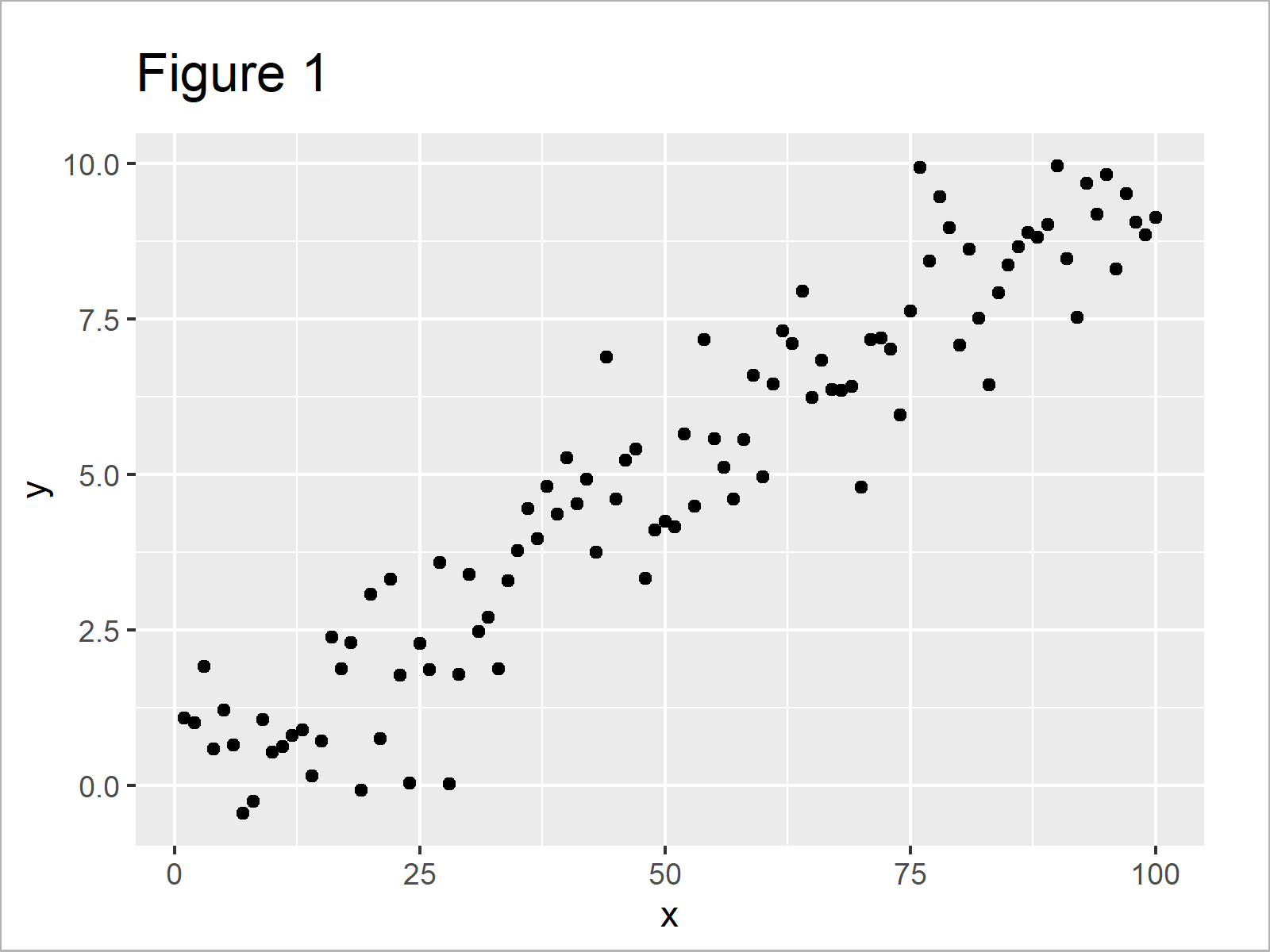
As shown in Figure 1, the previous R programming syntax has created a scatterplot without confidence intervals in ggplot2.
Example: Add Confidence Band to ggplot2 Plot Using geom_ribbon() Function
In this example, I’ll show how to plot a confidence band in a ggplot2 graph.
For this, we can use the geom_ribbon function as shown below:
ggp +                               # Add confidence intervals
  geom_ribbon(aes(ymin = low, ymax = high), alpha = 0.2)
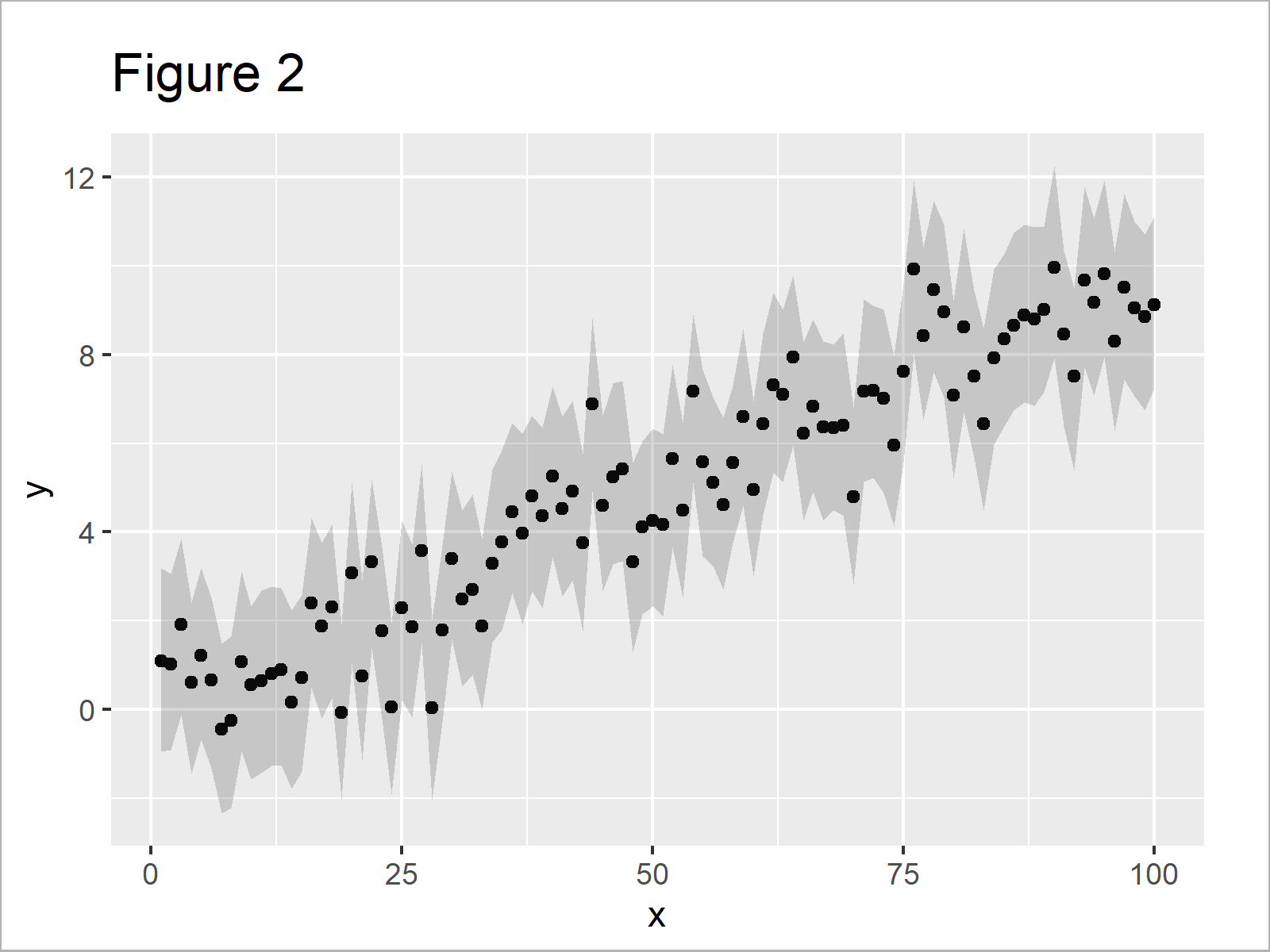
By executing the previous R programming syntax, we have plotted Figure 2, i.e. a ggplot2 xy-plot with confidence band.
Video, Further Resources & Summary
Have a look at the following video of my YouTube channel. In the video, I explain the content of this article in a live session:
In addition, you could have a look at some of the other articles of this homepage. You can find a selection of tutorials about ggplot2 graphs below:
- Add Regression Line to ggplot2 Plot
- Add Image to Plot in R
- Add Greek Symbols to ggplot2 Plot
- Plots in R
- Introduction to R Programming
In this R tutorial you have learned how to shade your data points byadding a confidence band to a graphic created by ggplot2. In case you have any further questions, kindly let me know in the comments.

I’m Joachim Schork. On this website, I provide statistics tutorials as well as code in Python and R programming.
Statistics Globe Newsletter
Get regular updates on the latest tutorials, offers & news at Statistics Globe. I hate spam & you may opt out anytime: Privacy Policy.