Create Duplicate of Column in R (2 Examples)
In this article you’ll learn how to replicate a column in a data frame in the R programming language.
The article is structured as follows:
It’s time to dive into the examples…
Exemplifying Data
We’ll use the following data frame as basement for this R tutorial.
data <- data.frame(x1 = 1:6,    # Create example data
                   x2 = letters[1:6])
data                            # Print example data
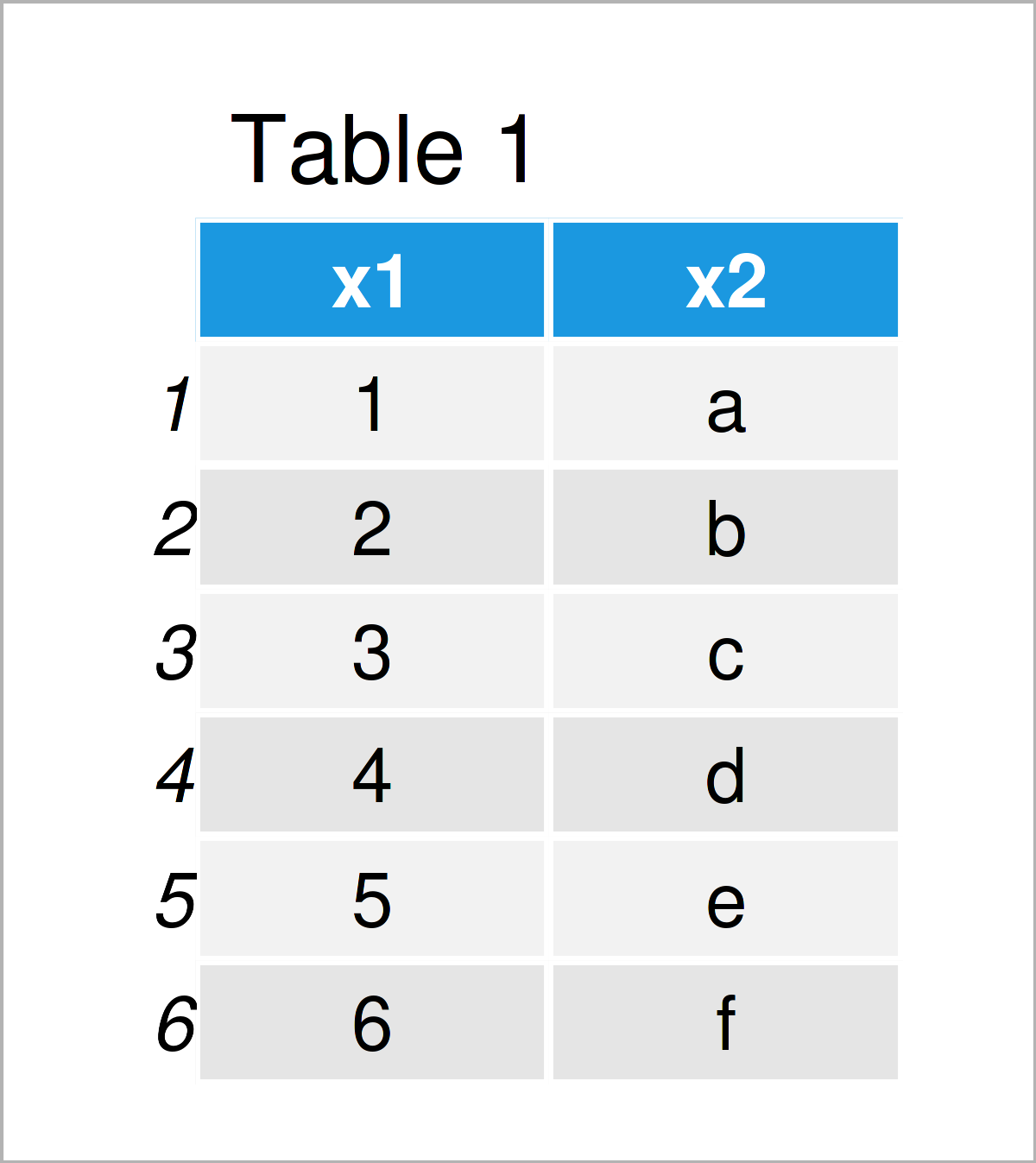
As you can see based on Table 1, our example data is a data frame containing six rows and two columns that are named “x1” and “x2”. The column x1 is an integer and the column x2 has the character class.
Example 1: Create Duplicate of Column Using Base R
The following R code illustrates how to replicate a data frame variable in a data frame with a new name.
Have a look at the following R code and its output:
data_new1 <- data               # Duplicate entire data frame
data_new1$x3 <- data_new1$x1    # Create duplicate of column with new name
data_new1                       # Print new data frame
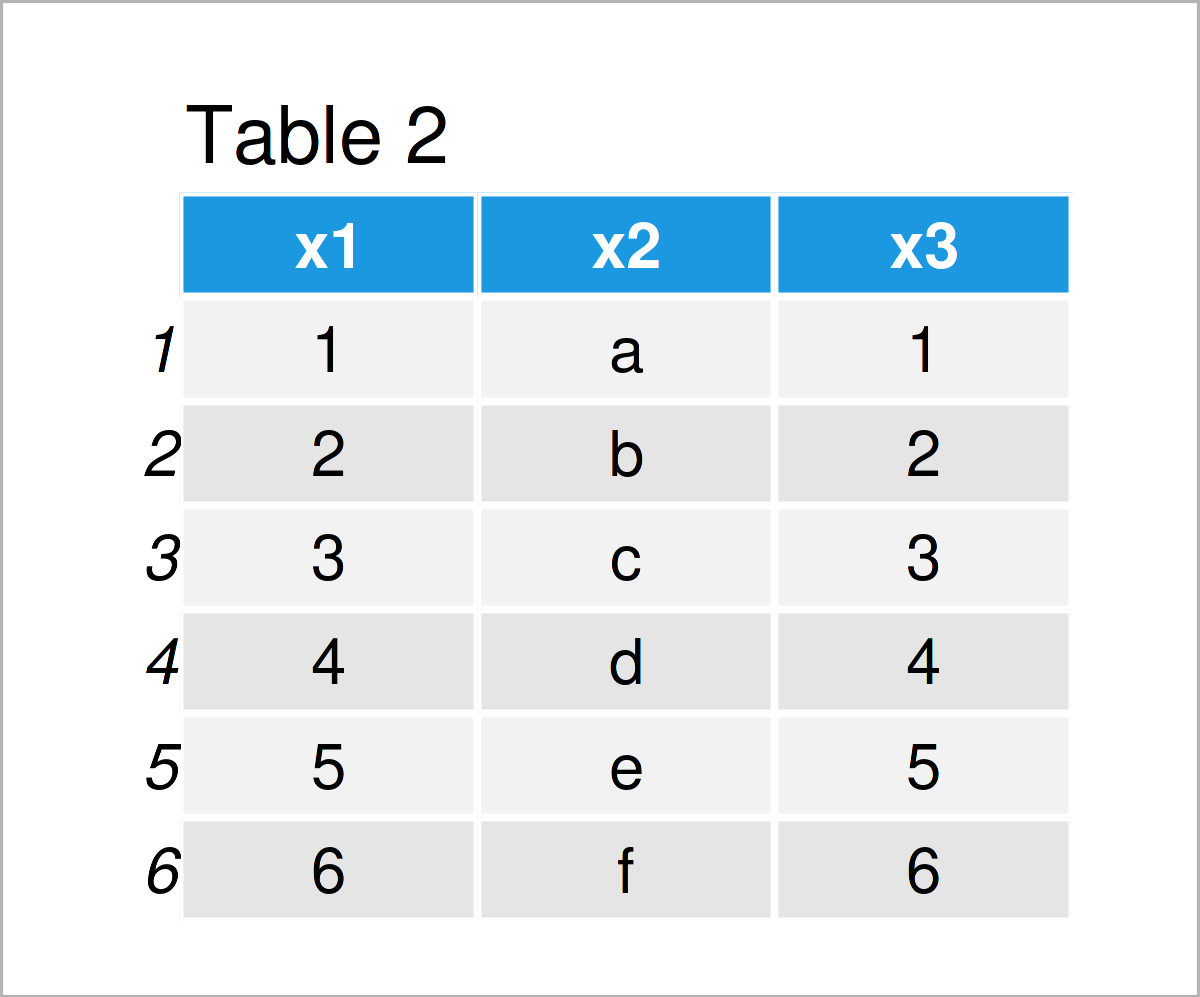
As shown in Table 2, we have created a new data frame called data_new1, which contains a duplicate of the column x1. This duplicate has been called x3.
Example 2: Create Duplicate of Column Using mutate() Function of dplyr Package
In this example, I’ll explain how to use the functions of the dplyr package to construct a duplicated and renamed variable in a data frame.
We first need to install and load the dplyr package:
install.packages("dplyr")       # Install & load dplyr package
library("dplyr")
Next, we can apply the mutate function to create a replication of the variable x1 as follows:
data_new2 <- data %>%           # Create duplicate of column with new name
  mutate(x3 = x1)
data_new2                       # Print new data frame
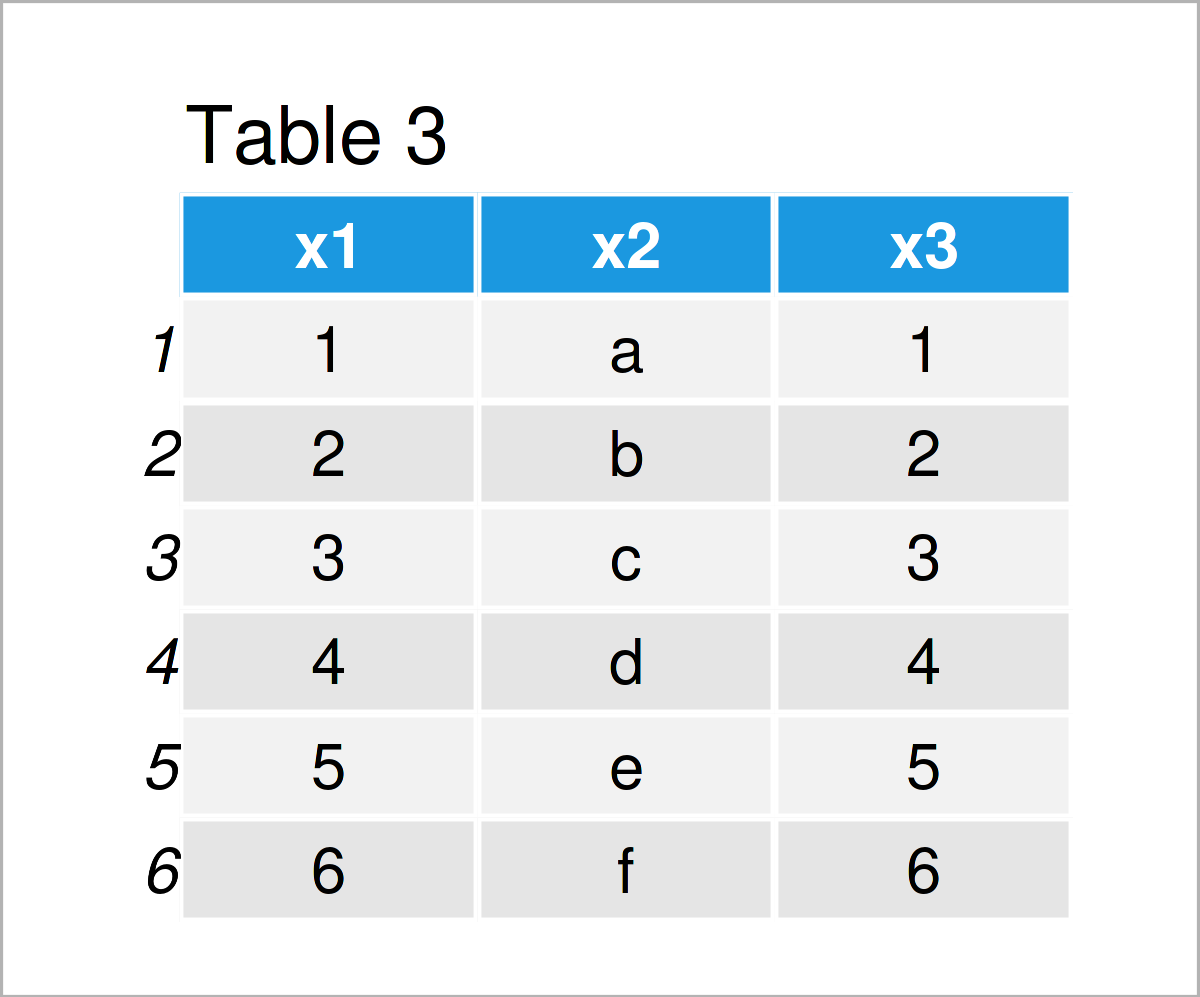
Table 3 shows the output of the previous syntax – Another data matrix containing the same values as in Example 1. However, this time we have used the dplyr package instead of Base R.
Video & Further Resources
Have a look at the following video on my YouTube channel. In the video, I illustrate the R programming codes of this tutorial.
In addition, you might want to read the other articles on https://www.statisticsglobe.com/.
- Remove Columns with Duplicate Names from Data Frame
- Delete Duplicate Rows Based On Column Values
- Sum Duplicate Rows in R
- Create Data Frame where a Column is a List
- Create Data Frame with Spaces in Column Names
- R Programming Overview
This post has illustrated how to duplicate a variable in a data frame in the R programming language. In case you have further questions or comments, let me know in the comments section.

I’m Joachim Schork. On this website, I provide statistics tutorials as well as code in Python and R programming.
Statistics Globe Newsletter
Get regular updates on the latest tutorials, offers & news at Statistics Globe. I hate spam & you may opt out anytime: Privacy Policy.