Add Vertical & Horizontal Line to gglot2 Plot in R (4 Examples)
In this tutorial you’ll learn how to draw vertical and horizontal lines to a ggplot2 graph in R programming.
The article will consist of four examples for the drawing of lines. More precisely, the tutorial consists of these contents:
Let’s get started:
Example Data, Packages & Default Graphic
I use the following data as basement for this R tutorial:
data <- data.frame(x = 1:8,         # Create example data
                   y = 2:9)
data                                # Print example data
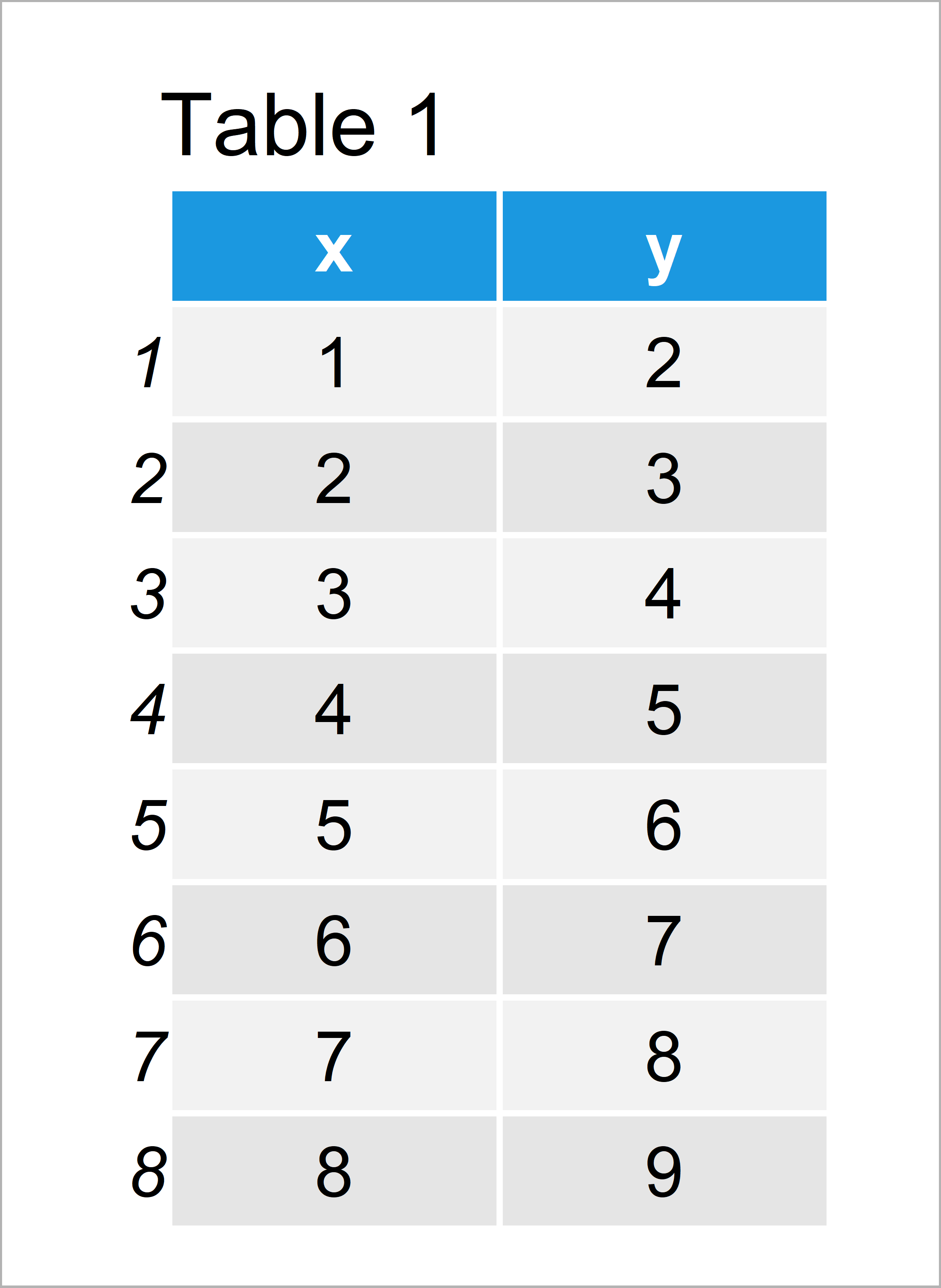
Table 1 shows the structure of the example data: It consists of eight rows and two columns.
We also have to install and load the ggplot2 package, to be able to use the corresponding functions and commands.
install.packages("ggplot2")         # Install ggplot2 package
library("ggplot2")                  # Load ggplot2 package
Now, we can plot the data without any lines as follows:
ggp <- ggplot(data, aes(x, y)) +    # Create ggplot2 plot
  geom_point()
ggp                                 # Draw ggplot2 plot
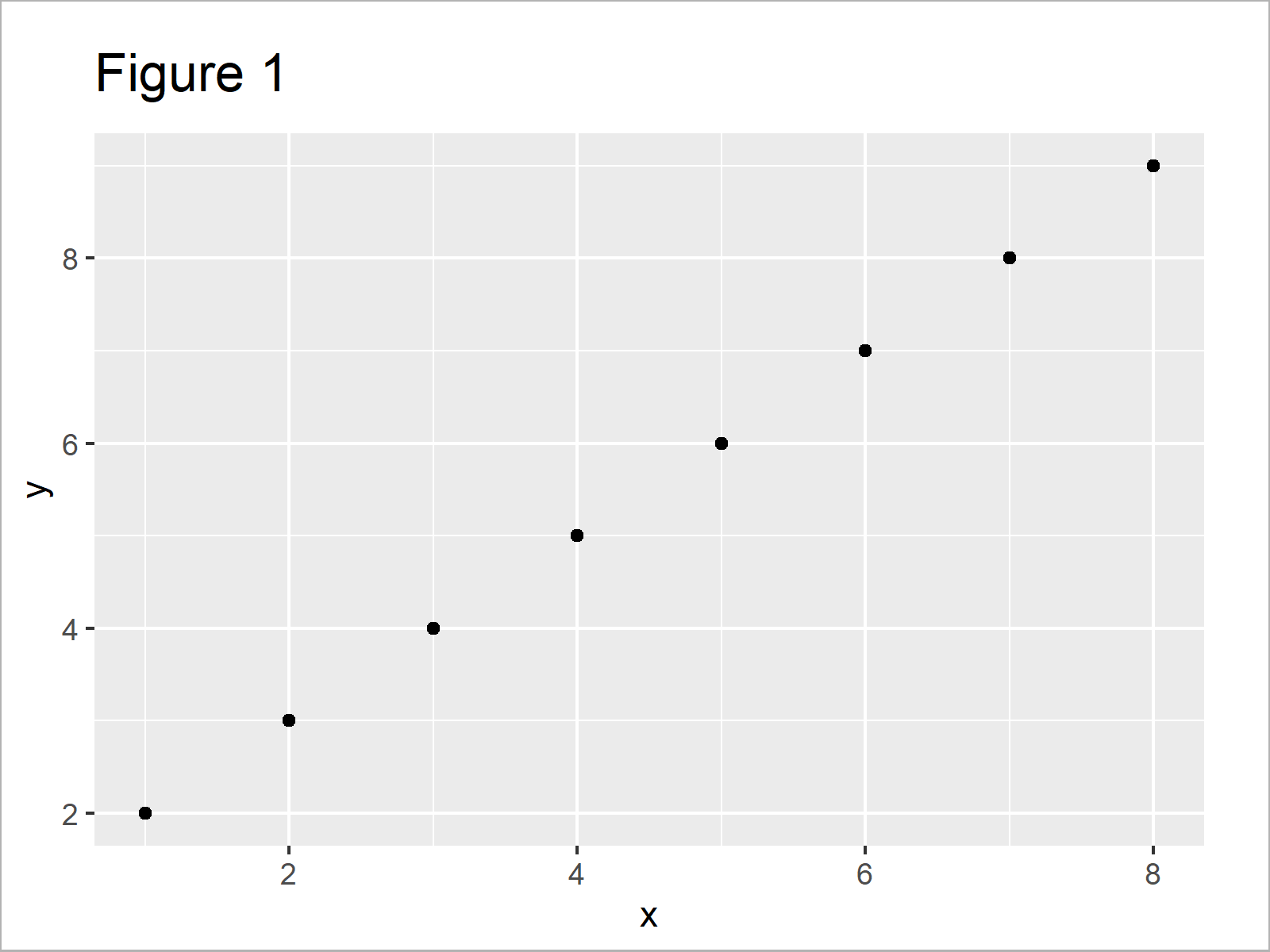
In Figure 1 it is shown that we have drawn a ggplot2 scatterplot by executing the previous R code.
Example 1: Add Vertical Line to ggplot2 Plot Using geom_vline() Function
In this example, I’ll explain how to print a vertical line to a ggplot2 plot.
For this, we can use the geom_vline function and the xintercept argument:
ggp +                               # Draw line to plot
  geom_vline(xintercept = 3.3)
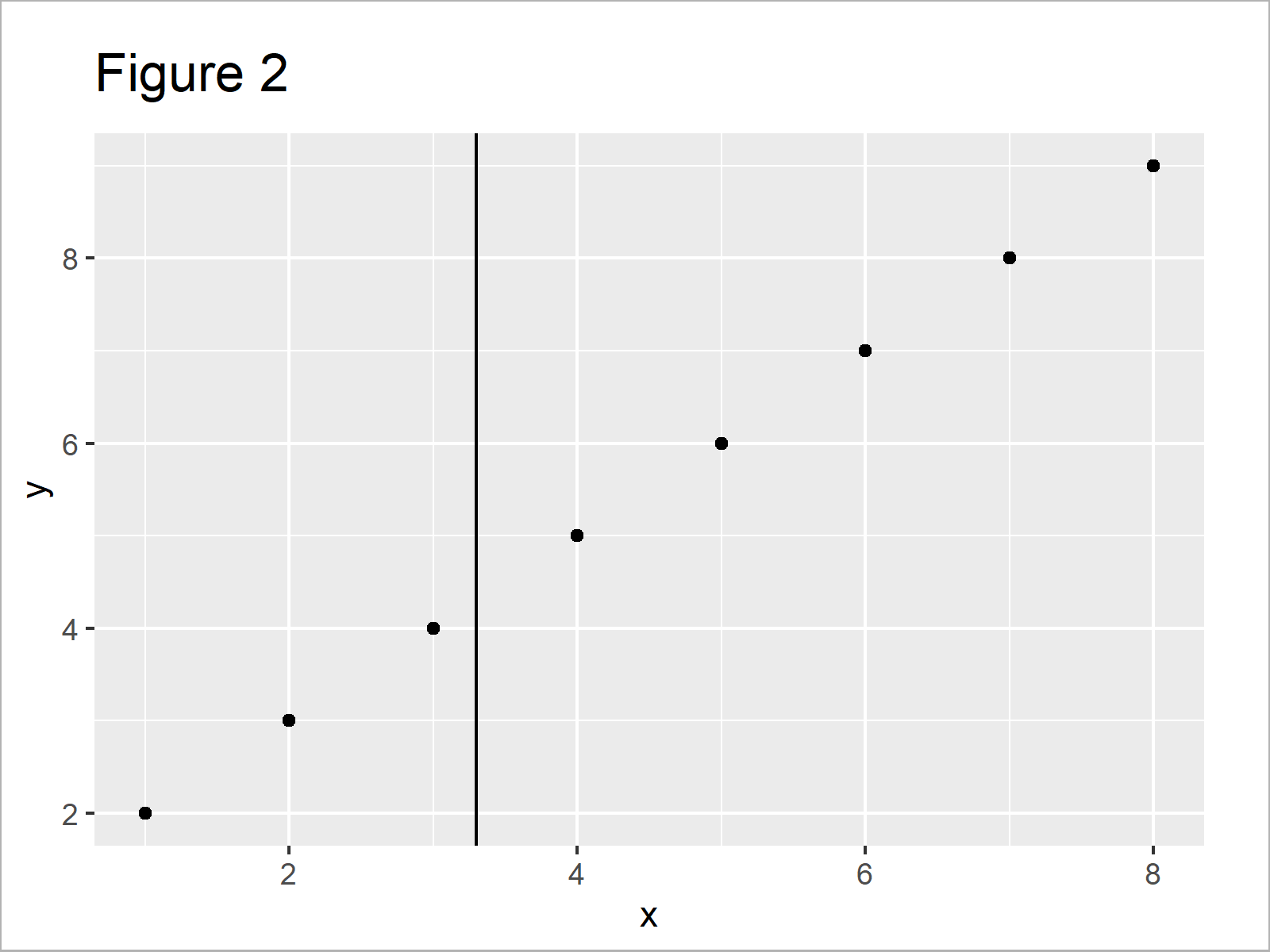
In Figure 2 it is shown that we have created a scatterplot with a vertical line at the x-axis position 3.3.
Example 2: Add Horizontal Line to ggplot2 Plot Using geom_hline() Function
Example 2 explains how to draw a horizontal line using the geom_hline function and the yintercept argument.
ggp +                               # Draw line to plot
  geom_hline(yintercept = 3.3)
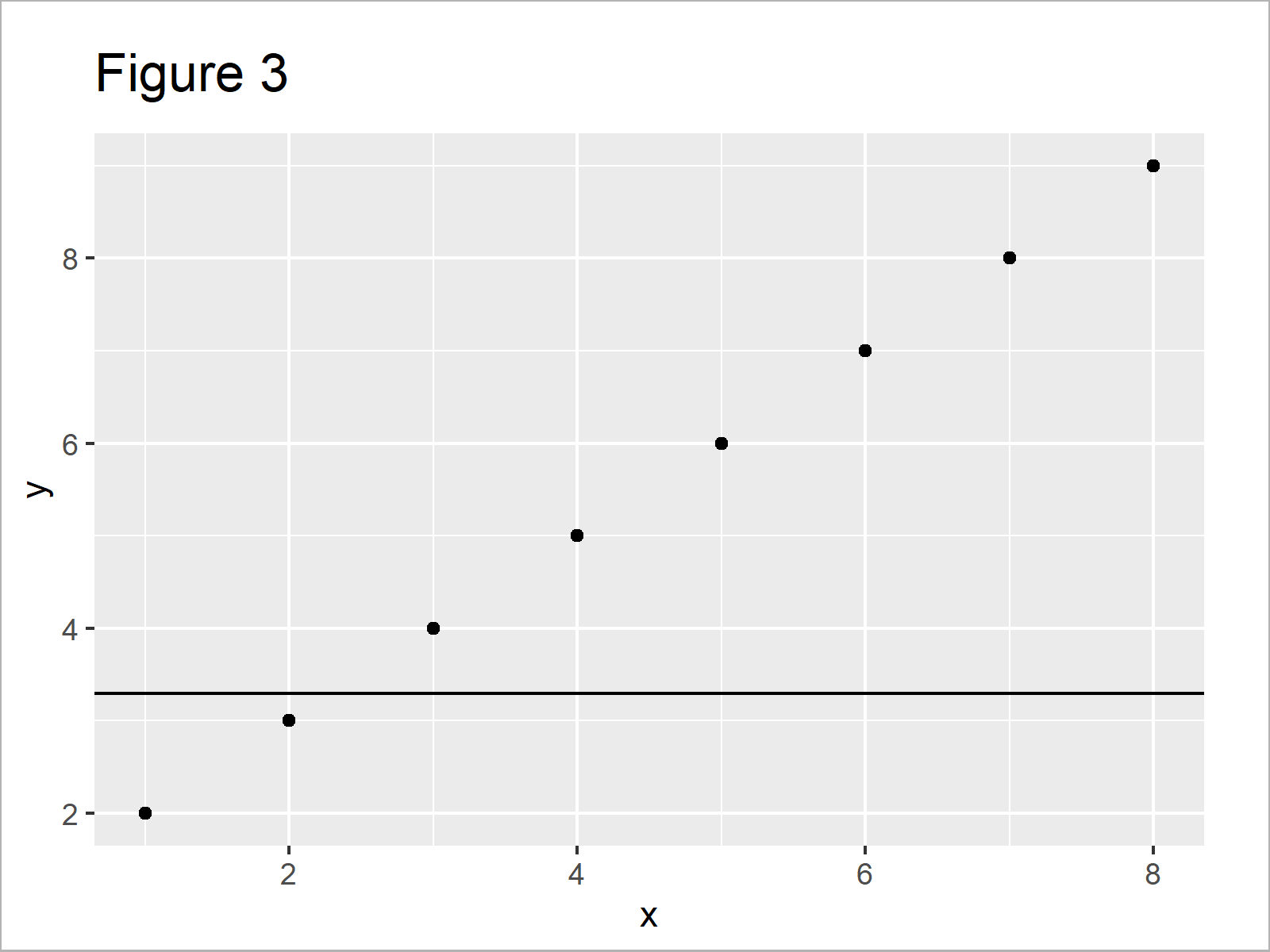
In Figure 3 it is shown that we have added a vertical line to our plot using the previous R code.
Example 3: Add Vertical & Horizontal Lines to ggplot2 Plot
In Example 3, I’ll show how to add vertical and horizontal lines to the same ggplot2 graph.
ggp +                               # Draw line to plot
  geom_vline(xintercept = 3.3) +
  geom_hline(yintercept = 3.3)
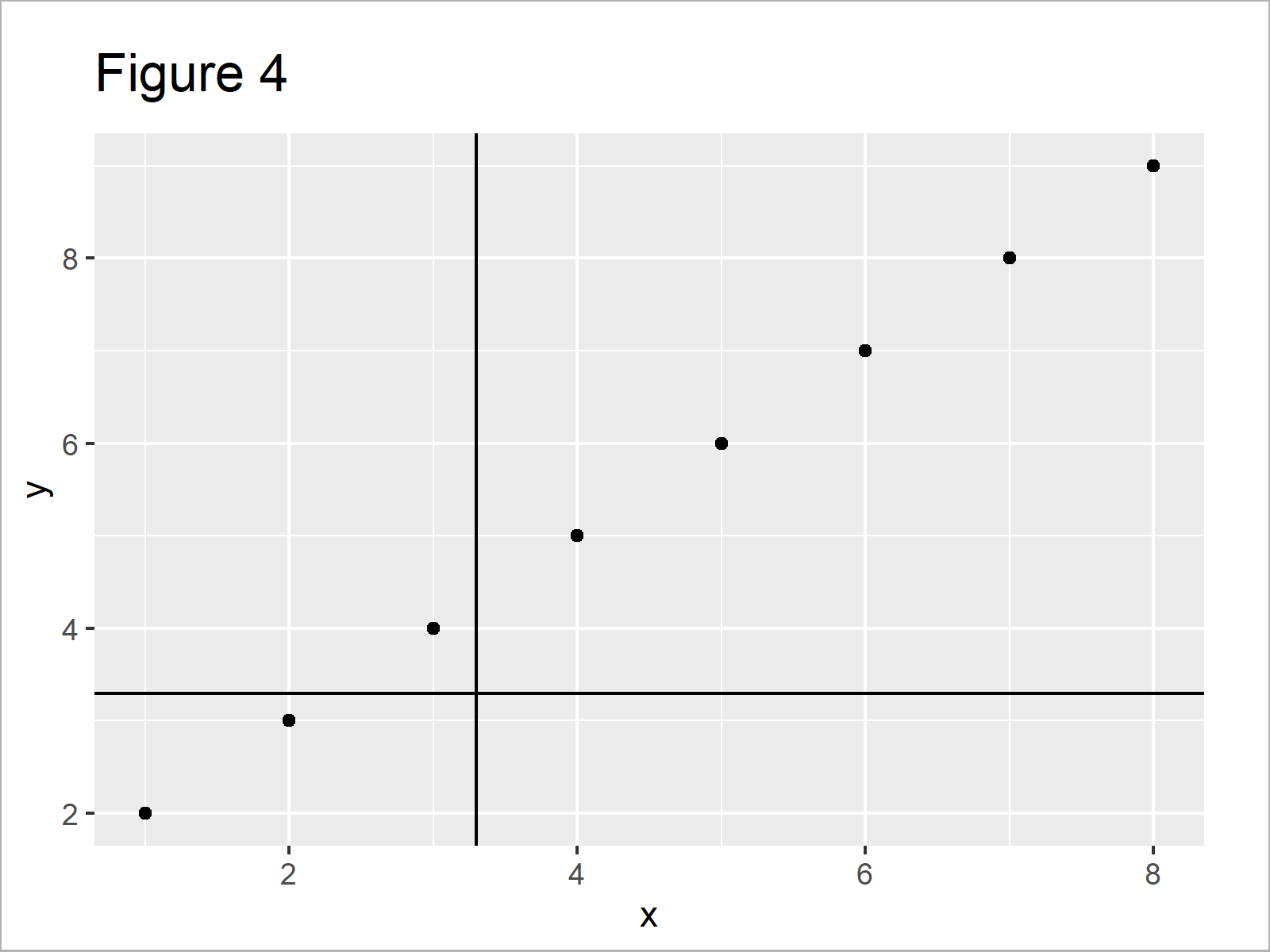
As shown in Figure 4, we have plotted two lines to our plot.
Example 4: Add Multiple Vertical Lines to ggplot2 Plot Using seq() Function
This example shows how to add a sequence of multiple lines using the seq function.
ggp +                               # Draw line to plot
  geom_vline(xintercept = seq(1, 5, by = 0.3))
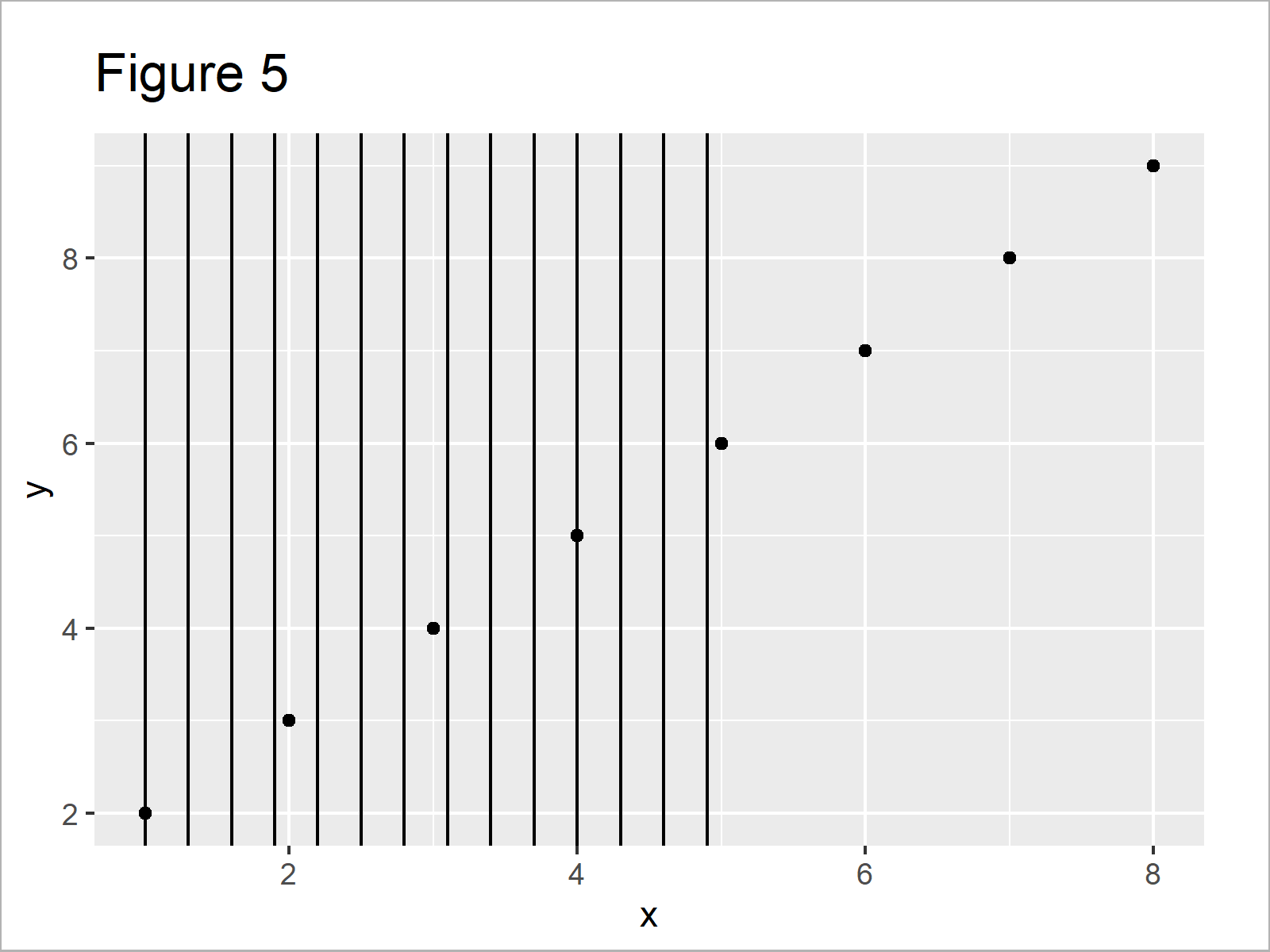
By running the previous syntax we have plotted Figure 5, i.e. a scatterplot with a sequence of vertical lines.
Video & Further Resources
Would you like to know more about ggplot2 graphics? Then you could have a look at the following video instruction of my YouTube channel. I’m explaining the contents of this article in the video.
In addition, you may want to have a look at some of the related articles on my homepage. A selection of articles about graphics in R is listed below.
- Draw Vertical Line to X-Axis of Class Date in ggplot2 Plot
- Add Regression Line to ggplot2 Plot in R
- Remove Vertical or Horizontal Gridlines in ggplot2 Plot
- Drawing Plots in R
- Introduction to R Programming
This article has illustrated how to add a line to a ggplot2 graphic in the R programming language. Please let me know in the comments section, if you have any further questions or comments.

I’m Joachim Schork. On this website, I provide statistics tutorials as well as code in Python and R programming.
Statistics Globe Newsletter
Get regular updates on the latest tutorials, offers & news at Statistics Globe. I hate spam & you may opt out anytime: Privacy Policy.