Append data.table to Another in R – Concatenate Two Tables (Example)
This tutorial explains how to append two data.tables vertically in the R programming language.
The content is structured as follows:
Let’s get started…
Example Data & Packages
First, we need to install and load the data.table package:
install.packages("data.table")                  # Install & load data.table
library("data.table")
The following data.tables are used as a basis for this R tutorial:
data1 <- data.table(x1 = 1:5,                   # Create first data.table
                    x2 = letters[1:5],
                    x3 = 3)
data1                                           # Print first data.table
data2 <- data.table(x1 = 11:15,                 # Create second data.table
                    x2 = letters[11:15],
                    x3 = 33)
data2                                           # Print second data.table
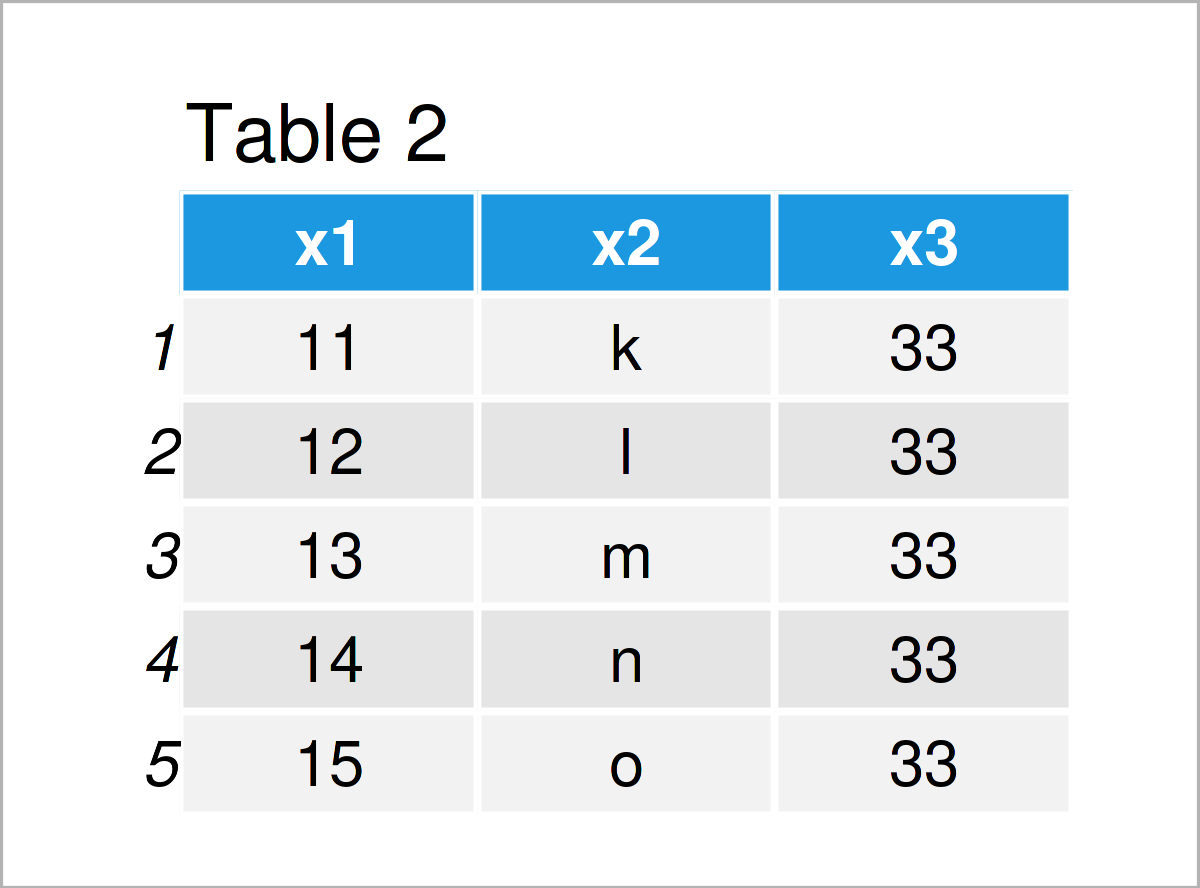
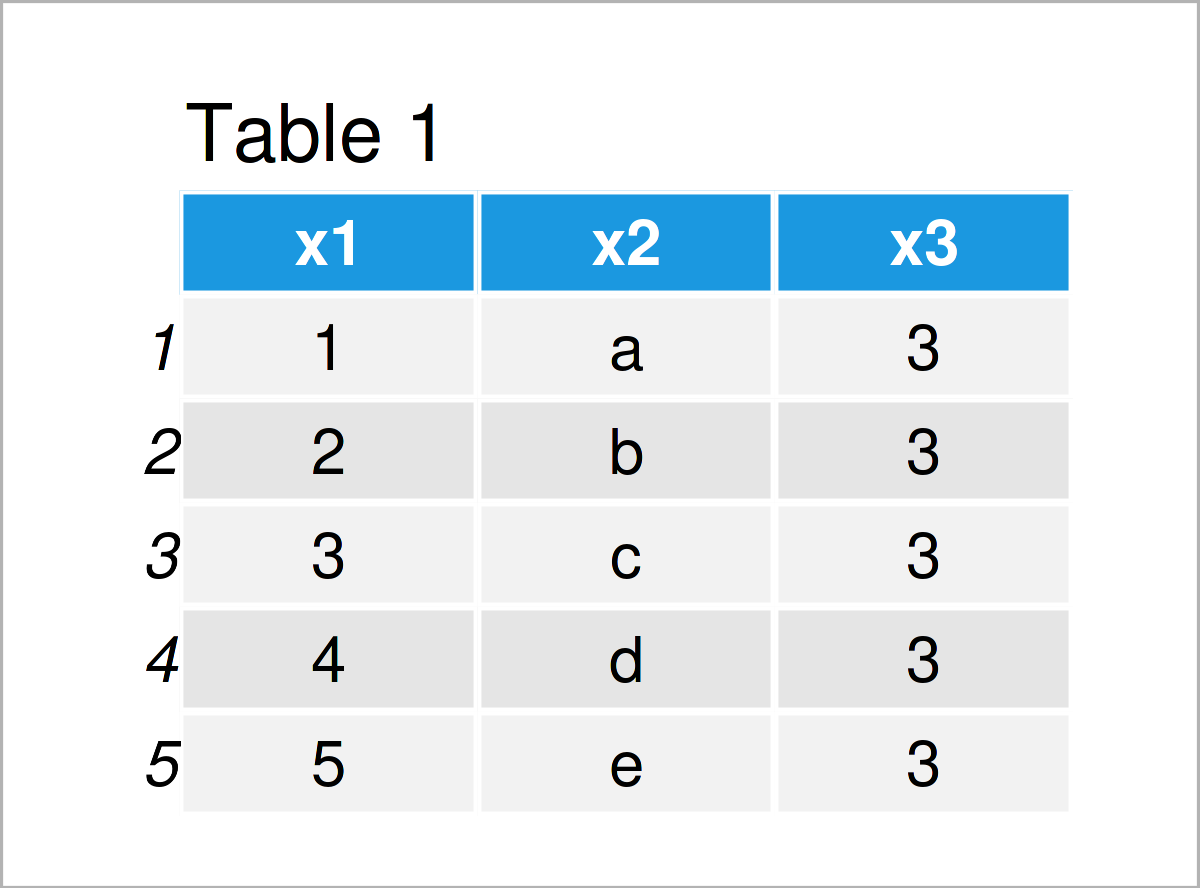
In Tables 1 and 2 it is shown that we have created two new data.tables using the previous R code. Both of these data sets contain the same columns, i.e. x1, x2, and x3.
Example: Concatenate List of Two data.tables Using rbindlist() Function
This example explains how to join multiple data.tables vertically.
For this task, we are using the rbindlist function of the data.table package in combination with the list function.
data_concat <- rbindlist(list(data1, data2))    # Rbind data.tables
data_concat                                     # Print combined data.table
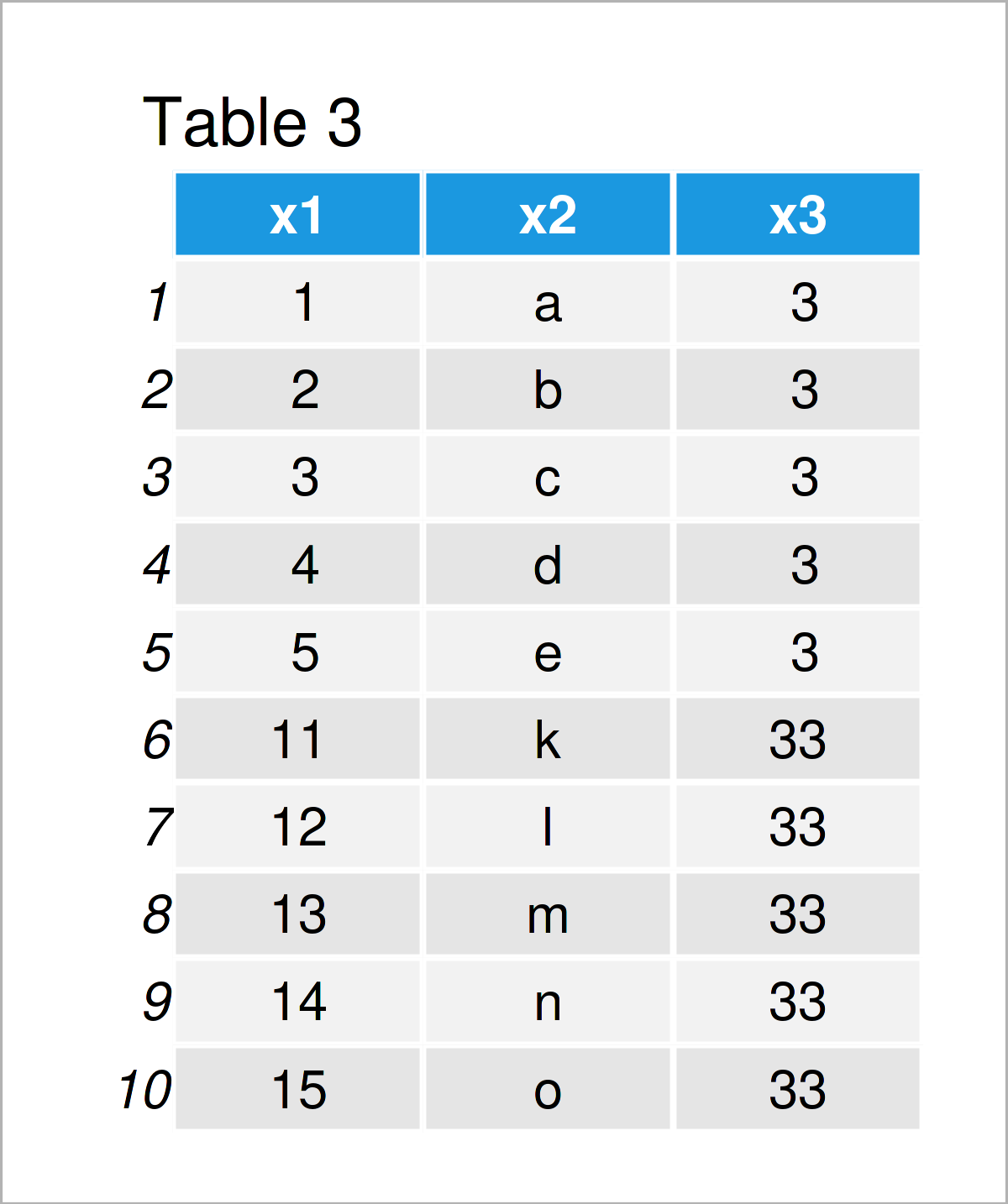
The output of the previous R syntax is illustrated in Table 3: We have created a data.table union of our two input data sets where the first data.table is stacked on top of the second data.table.
If you want to learn more on why he rbindlist function might have advantages compared to other binding functions such as rbind of Base R or bind_rows of the dplyr package, please have a look here.
Video & Further Resources
In case you need further information on the R code of this article, you may have a look at the following video that I have published on my YouTube channel. I’m explaining the R code of this tutorial in the video:
Furthermore, you might want to have a look at the other tutorials on my website. You can find a selection of articles on similar topics such as data.table and merging below.
In this article, I have explained how to combine two data.tables in R. Let me know in the comments below, if you have further questions or comments.

I’m Joachim Schork. On this website, I provide statistics tutorials as well as code in Python and R programming.
Statistics Globe Newsletter
Get regular updates on the latest tutorials, offers & news at Statistics Globe. I hate spam & you may opt out anytime: Privacy Policy.