row() Function in R (2 Examples) | Get Matrix of Row Indices or Factor Labels
This tutorial demonstrates how to return row indices and labels using the row() function in the R programming language.
The article consists of these topics:
Let’s take a look at some R codes in action.
Construction of Example Data
At first, let’s construct some example data in R:
my_mat <- matrix(1:12, nrow = 4)    # Create example matrix
row.names(my_mat) <- paste0("row_", letters[1:4])
my_mat                              # Print example matrix
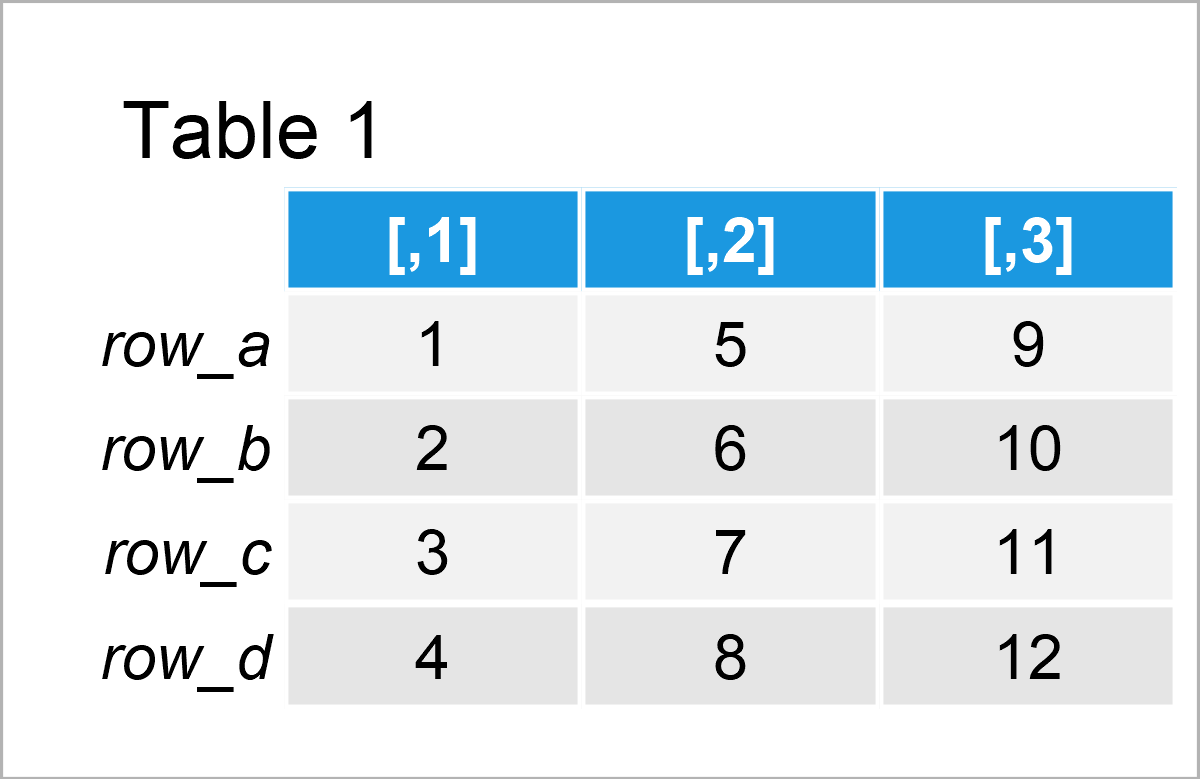
Have a look at the previous table. It shows that our example data matrix is composed of four rows and the three integer columns.
Example 1: Apply row() Function to Return Matrix of Integers Indicating Row Numbers
This example shows how to return a matrix of row numbers using the row function.
Have a look at the following R code:
row(my_mat) # Apply row function
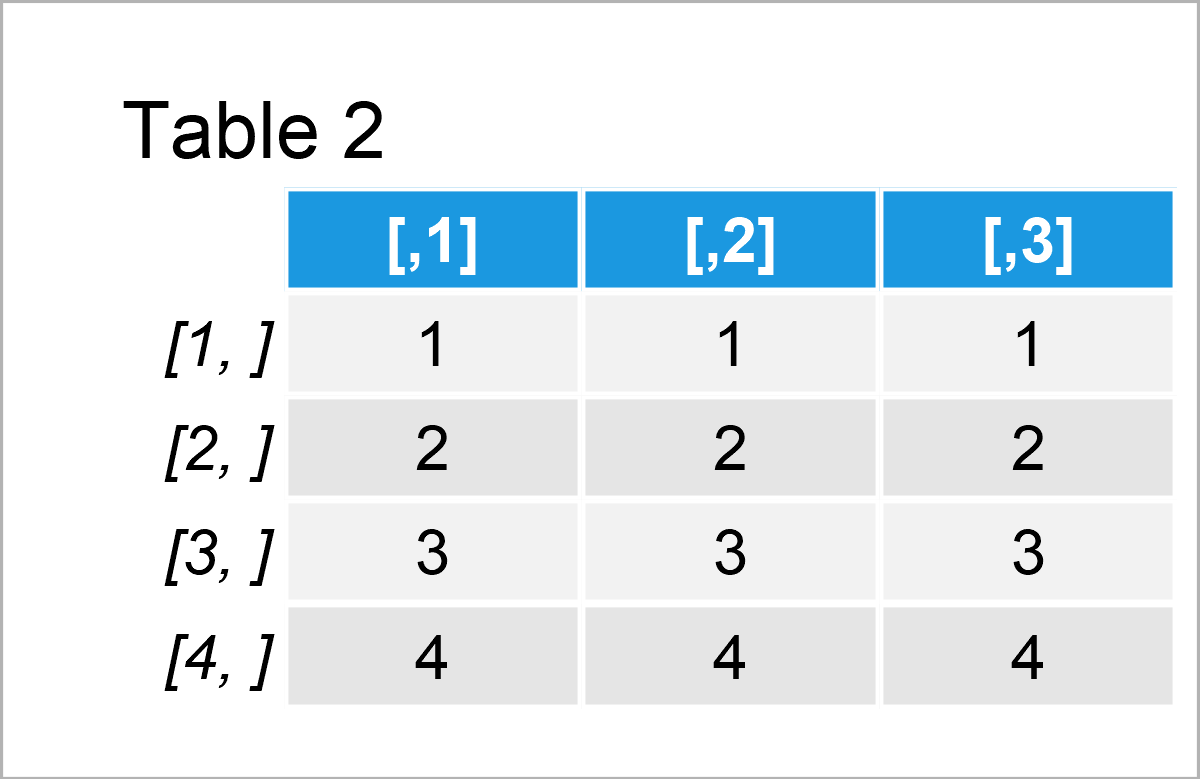
The output of the previously shown R code is shown in Table 2 – A matrix object that contains the row numbers for each column of our input matrix.
Example 2: Apply row() Function to Return Matrix of Row Labels
This example shows how to get the row labels (i.e. the row names) of a matrix object using the row function.
For this, we have to set the as.factor argument within the row function to be equal to TRUE:
row(my_mat, as.factor = TRUE)       # Apply row function
#      [,1]  [,2]  [,3]
# [1,] row_a row_a row_a
# [2,] row_b row_b row_b
# [3,] row_c row_c row_c
# [4,] row_d row_d row_d
# Levels: row_a row_b row_c row_d
The previous R code has returned a matrix-like factor object to the RStudio console that contains the row labels of each row.
Video, Further Resources & Summary
Would you like to know more about the application of the row() function? Then you may have a look at the following video on my YouTube channel. In the video, I explain the R programming codes of this tutorial:
The YouTube video will be added soon.
In addition, you might have a look at the other articles on my website. You can find a selection of other articles below.
- The nrow Function in R
- Modify Diagonal, Lower & Upper Triangular Part of Matrix
- Change Row Names of Data Frame or Matrix in R
- Subset Data Frame and Matrix by Row Names
- Substitute Data Frame Row Names by Values in Vector
- Extract Values from Matrix by Column & Row Names
- Built-in R Commands
- The R Programming Language
In this tutorial you have learned how to apply the row() function in the R programming language. In case you have additional questions or comments, tell me about it in the comments below.

I’m Joachim Schork. On this website, I provide statistics tutorials as well as code in Python and R programming.
Statistics Globe Newsletter
Get regular updates on the latest tutorials, offers & news at Statistics Globe. I hate spam & you may opt out anytime: Privacy Policy.