which Function & Data Frame in R (2 Examples)
In this article, I’ll explain how to apply the which function to a data frame in the R programming language.
Table of contents:
You’re here for the answer, so let’s get straight to the exemplifying R code!
Creation of Example Data
Have a look at the following example data frame:
data <- data.frame(x1 = 1:6,                        # Create example data frame
                   x2 = letters[6:1],
                   x3 = 5)
data                                                # Print example data frame
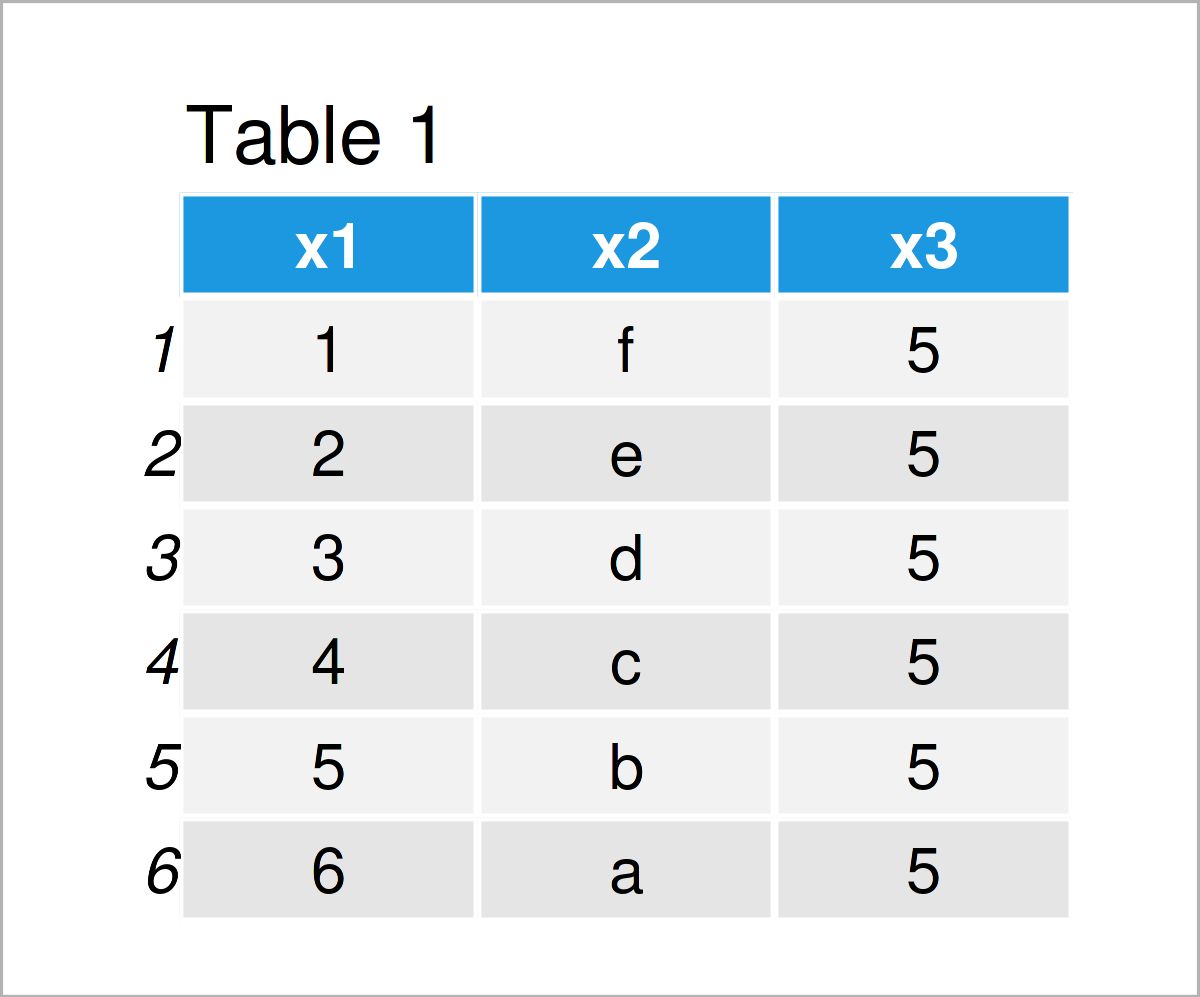
As you can see based on Table 1, our example data is a data frame constructed of six rows and three columns.
Example 1: Apply which() Function to Create Data Frame Subset
This example shows how to use the which function to extract certain rows from our data frame based on a logical condition.
Consider the R code below:
data_new1 <- data[which(data$x1 >= 3), ]            # Apply which function
data_new1                                           # Print data frame subset
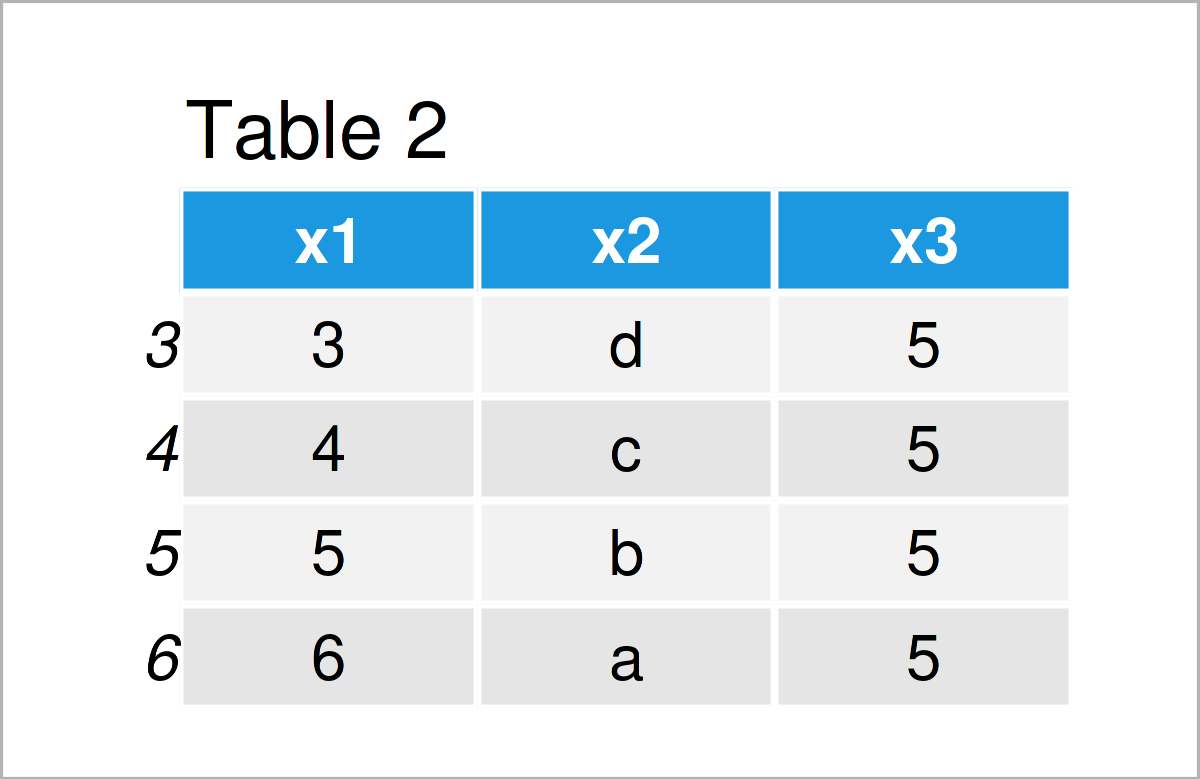
By executing the previous code, we have created Table 2, i.e. a new data frame object containing only those rows where the value in the column x1 is greater or equal to 3.
Example 2: Using Multiple Logical Conditions within which() Function
In Example 2, I’ll demonstrate how to use multiple logical conditions within the which function to subset a data frame.
For this task, we can use the & operator as shown below:
data_new2 <- data[which(data$x1 >= 3 & data$x2 %in% c("a", "c", "e")), ]  # Apply which()
data_new2                                           # Print data frame subset
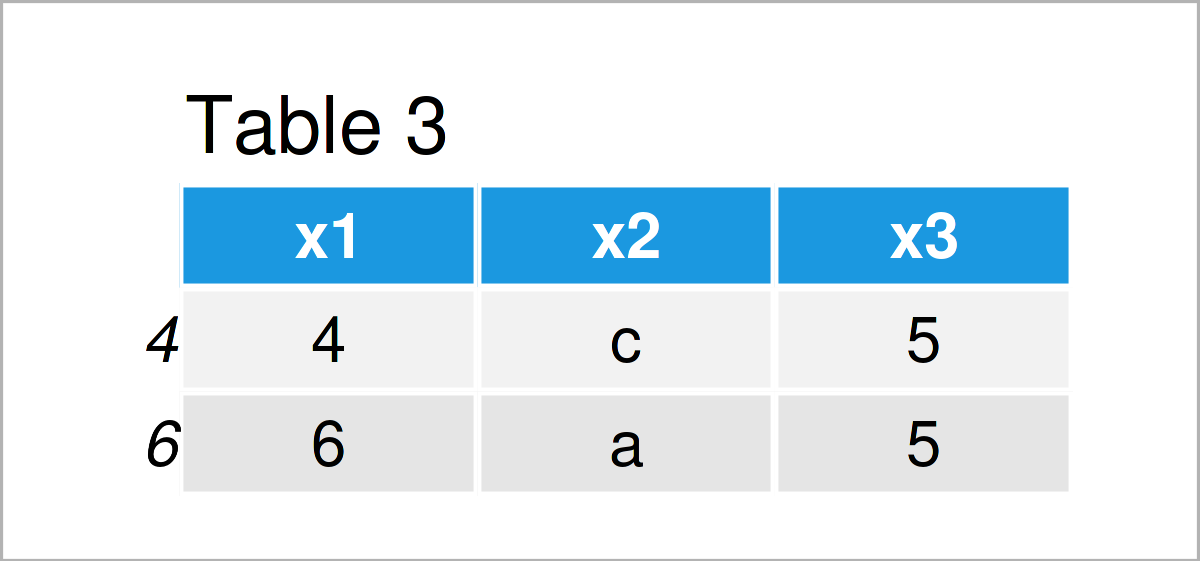
The output of the previous syntax is shown in Table 3 – A data frame subset based on multiple logical conditions.
Video & Further Resources
In case you need further explanations on the R codes of this article, I recommend having a look at the following video on my YouTube channel. In the video, I explain the examples of this tutorial in a live session.
Furthermore, you may want to have a look at some related articles on my homepage:
- Extract Data Frame Rows that do not Match Logical Condition
- Extract Subset of Data Frame Rows Containing NA
- Extract First N Rows of Data Frame in R
- List of R Functions
- R Programming Overview
On this page you have learned how to apply the which function to the rows of a data frame in R. If you have any further questions, let me know in the comments section.

I’m Joachim Schork. On this website, I provide statistics tutorials as well as code in Python and R programming.
Statistics Globe Newsletter
Get regular updates on the latest tutorials, offers & news at Statistics Globe. I hate spam & you may opt out anytime: Privacy Policy.