







R Error: plot.new has not been called yet (2 Examples)
In this R programming article you’ll learn how to solve the error “plot.new has not been called yet”.
The page looks as follows:
It’s time to dive into the exemplifying R code:
Example 1: Reproduce the Error: plot.new has not been called yet
Example 1 illustrates how to replicate the error message “plot.new has not been called yet” in R.
Let’s assume that we want to draw a line to a plot. Then, we might try to use the lines function as shown below:
lines(1:10)                # Try to add lines to non-existent plot
# Error in plot.xy(xy.coords(x, y), type = type, ...) :
#   plot.new has not been called yet
Unfortunately, the RStudio console returns the error message “plot.new has not been called yet”.
The reason for this is that some functions require that a plot was already created before their application (the lines function is one of them).
Next, I’ll show you how to solve this problem.
Example 2: Fix the Error: plot.new has not been called yet
Example 2 illustrates how to fix the error message “plot.new has not been called yet”.
As explained in Example 1, we first have to draw a graphic before we can apply the lines function. Have a look at the following R code:
plot(10:1)                 # Draw plot
lines(1:10)                # Add lines to plot
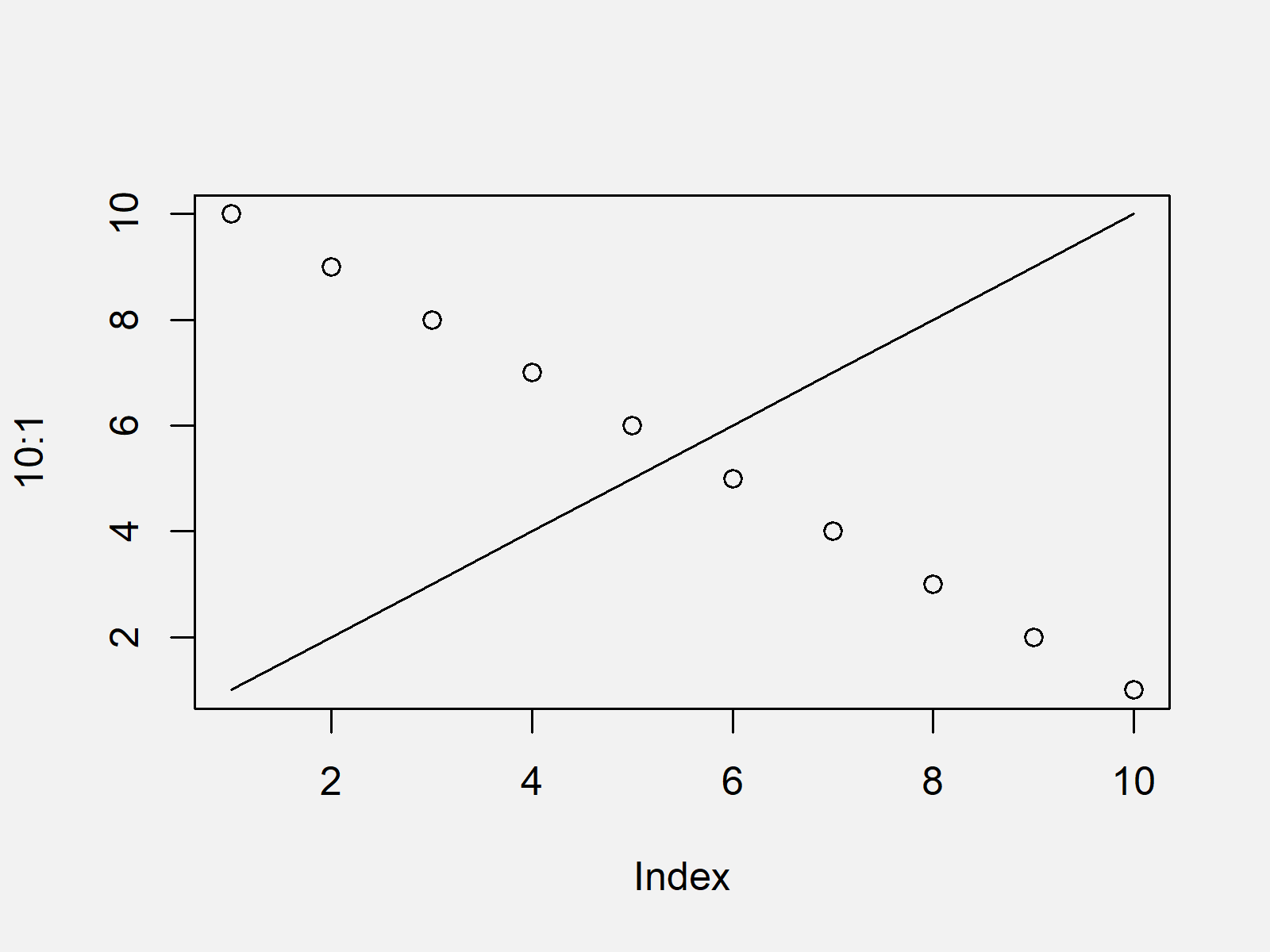
As shown in Figure 1, we created a scatterplot containing a line with the previous R programming syntax.
Video, Further Resources & Summary
Have a look at the following video of my YouTube channel. I illustrate the R code of this tutorial in the video.
Besides the video, you could have a look at the related articles of this website:
This tutorial explained how to handle the error message “plot.new has not been called yet” in the R programming language.
In this tutorial, we have used the lines function to illustrate the error message. Please note that other functions such as abline lead to the same (or very similar) error messages, when a plot has not been created before these functions are called.
If you have any additional questions, please let me know in the comments section below.

I’m Joachim Schork. On this website, I provide statistics tutorials as well as code in Python and R programming.
Statistics Globe Newsletter
Get regular updates on the latest tutorials, offers & news at Statistics Globe. I hate spam & you may opt out anytime: Privacy Policy.


10 Comments. Leave new
Hello!
Very helpful site but I find the ads overwhelm the important content. If you could keep content and ads in separate columns would be an improvement.
Cheers
Hi Vince,
Thank you for the kind words and your feedback. Please note that all content on Statistics Globe is for free, and ads are the only way how I can earn some money for my work. However, in case you find the ads too distracting, you may use an ad blocker.
Regards,
Joachim
Hi!
Thanks for your tutorial. However even when I copy-paste code as simple as
plot(resid(M1) ~ fitted(M1), xlab = “Predicted values”, ylab = “Normalized residuals”)
abline(h = 0, lty = 2)
I get the same error:
Error in int_abline(a = a, b = b, h = h, v = v, untf = untf, …) :
plot.new has not been called yet
What’s wrong? Did I miss a package? (I tried ggplot2 and graphics)
Thanks!
Hi Amy,
Thanks for the kind comment. I assume your plot creation (i.e. the first line of code) does not work properly. Could you check if a plot is created after running only the first line of code?
Regards,
Joachim
Hi Joachim,
Thank for your reply.
The first line works well, and a plot is created after running it.
Below is the output error with the traceback:
Error in plot.xy(xy.coords(x, y), type = type, …) :
plot.new has not been called yet
3.plot.xy(xy.coords(x, y), type = type, …)
2. lines.default(1:10)
1. lines(1:10)
Best,
Amy
Hi Amy,
That’s very strange. I just created a simple example to replicate your situation, and for me, it works without any problems. Does your code and plot look like this?
Regards,
Joachim
Hi Joachim,
I copy-pasted your code in a new R script in RStudio, and it worked! It also worked with the example from your article.
Since I usually work with R Notebooks, I also pasted it in a notebook but I still get the same error (plot.new has not been called yet).
Why would these lines of code work with R script and not with R Notebook?
Best,
Amy
Hey Amy,
Thank you for sharing this observation. I never work with R notebooks, so unfortunately, I cannot help you with this.
Please let me know if you find a solution, I’m also curious now.
Regards,
Joachim
Hi Joachim,
Thank you for your help!
I’ll let you know whether I find why R Notebooks fail to plot lines.
Best regards,
Amy
That’s great, thank you Amy!
Regards,
Joachim