







Set Index of pandas DataFrame in Python (Example)
In this Python programming article you’ll learn how to add a column of a pandas DataFrame as an index.
Table of contents:
Let’s take a look at some Python codes in action.
Example Data & Libraries
If we want to use the functions of the pandas library, we first have to load pandas to Python:
import pandas as pd # Load pandas library
The following data is used as a basis for this Python tutorial:
data = pd.DataFrame({'x1':range(10, 15),    # Create pandas DataFrame
                     'x2':['a', 'b', 'c', 'd', 'e'],
                     'x3':range(10, 5, - 1)})
print(data)                                 # Print pandas DataFrame
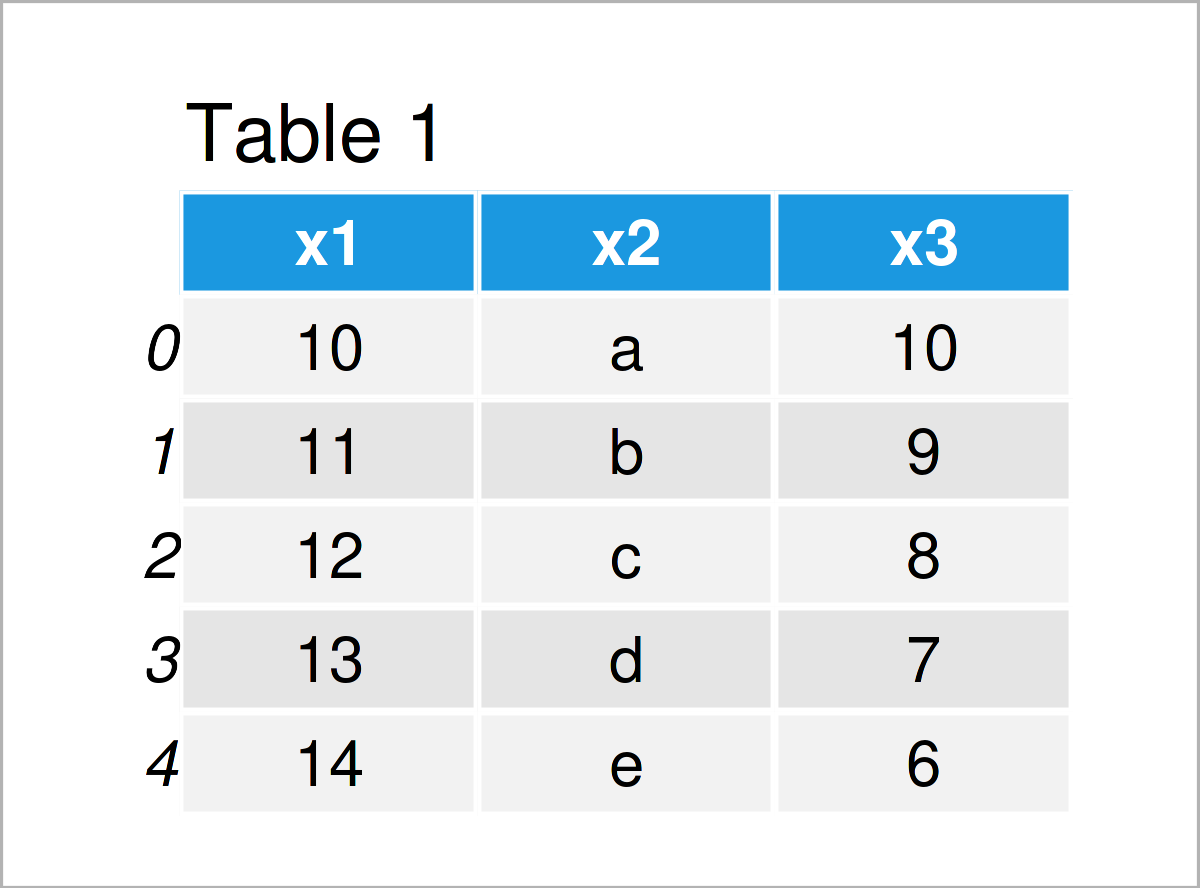
Table 1 shows that our exemplifying data contains five rows and three columns. The index ranges from the value 0 to the number of rows in our data set.
Example: Set Column as pandas DataFrame Index Using set_index() Function
In this example, I’ll illustrate how to use a column of a pandas DataFrame as an index in Python.
To achieve this, we have to apply the set_index function as shown below:
data_new = data.set_index('x2')             # Apply set_index function
print(data_new)                             # Print updated DataFrame
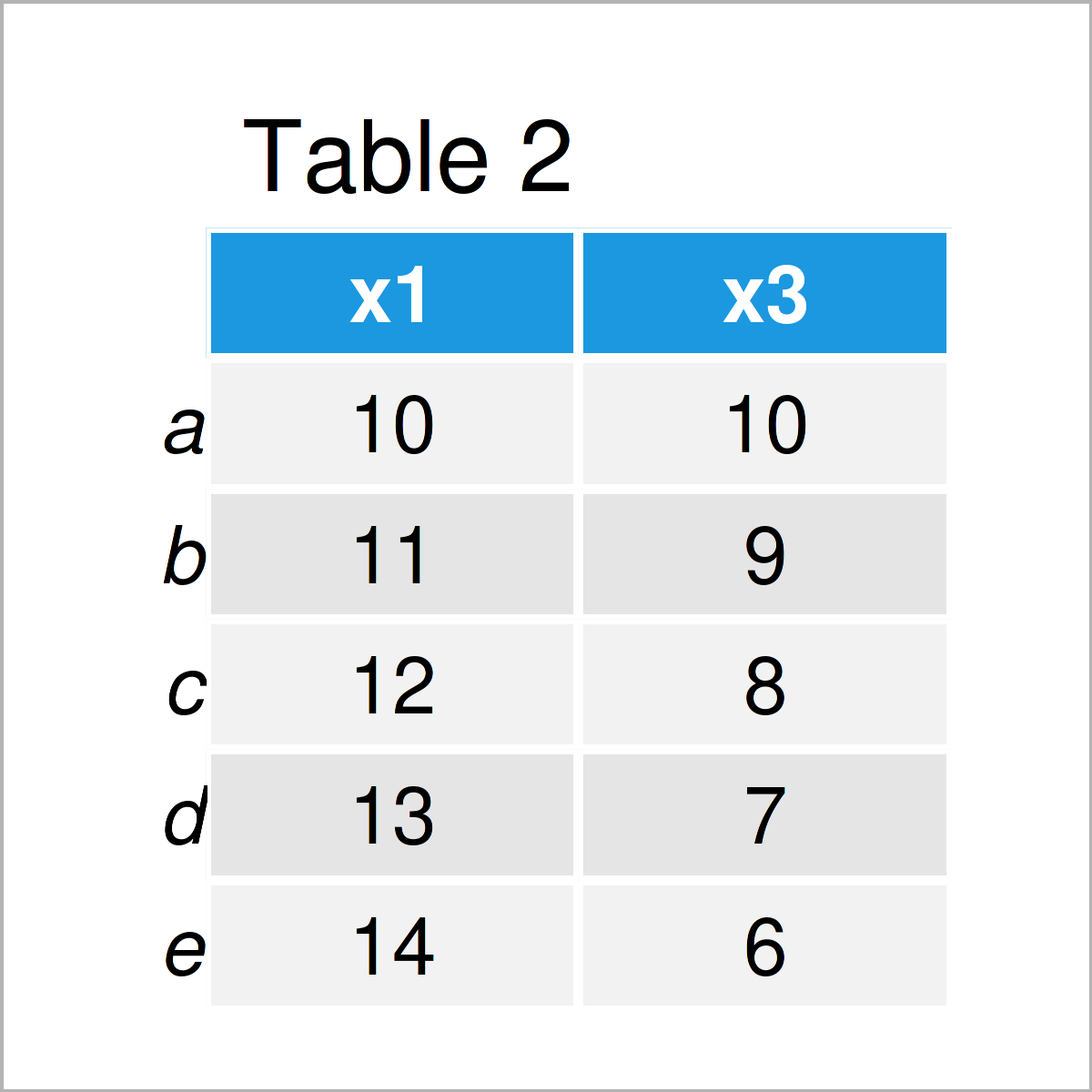
The output of the previous Python programming syntax is shown in Table 2 – A new pandas DataFrame where the column x2 has been added as the index.
Video & Further Resources
If you need further information on the Python code of this tutorial, I recommend having a look at the following video on my YouTube channel. I illustrate the Python code of the present tutorial in the video.
Besides that, you may want to have a look at the related tutorials on my website:
- Get Max & Min Value of Column & Index in pandas DataFrame in Python
- Convert Index to Column of pandas DataFrame in Python
- Select Rows of pandas DataFrame by Index in Python
- Rename Index of pandas DataFrame in Python in R
- Get Index of Column in pandas DataFrame in Python
- pandas Library Tutorial in Python
- Introduction to Python Programming
You have learned in this tutorial how to use and add a column of a pandas DataFrame as an index in the Python programming language. Please let me know in the comments section, in case you have any further questions.

I’m Joachim Schork. On this website, I provide statistics tutorials as well as code in Python and R programming.
Statistics Globe Newsletter
Get regular updates on the latest tutorials, offers & news at Statistics Globe. I hate spam & you may opt out anytime: Privacy Policy.