Update Data Frame with Function in R (Example)
In this tutorial you’ll learn how to update a data frame with a user-defined function in R programming.
The tutorial will contain the following topics:
Here’s how to do it.
Creation of Example Data
Initially, we’ll need to create some data that we can use in the following examples:
my_data <- data.frame(x1 = 1:5,    # Create example data
                      x2 = 11:15)
my_data                            # Print example data
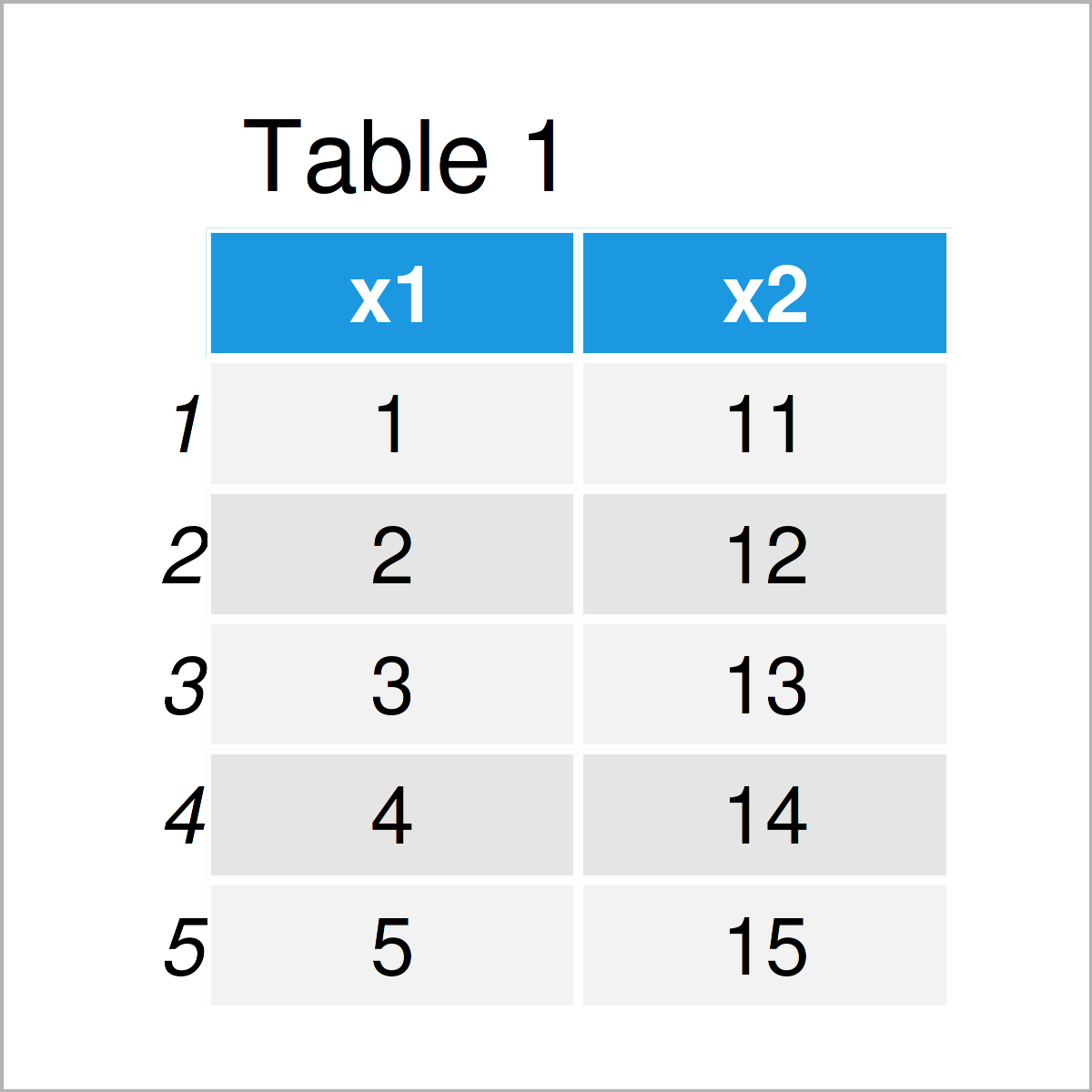
Have a look at the table that got returned after running the previous R code. It shows that our example data consists of five rows and two variables.
Next, we have to create a user-defined function that should be used to update our data frame:
my_fun <- function(my_data) {      # Create user-defined function
  my_data <- my_data^2
  my_data
}
So far, so good! Let’s update our data!
Example: Update Data Frame via Function
In this example, I’ll illustrate how to update a data frame using a user-defined function in R.
Let’s apply our function to our data frame:
my_fun(my_data) # Apply user-defined function
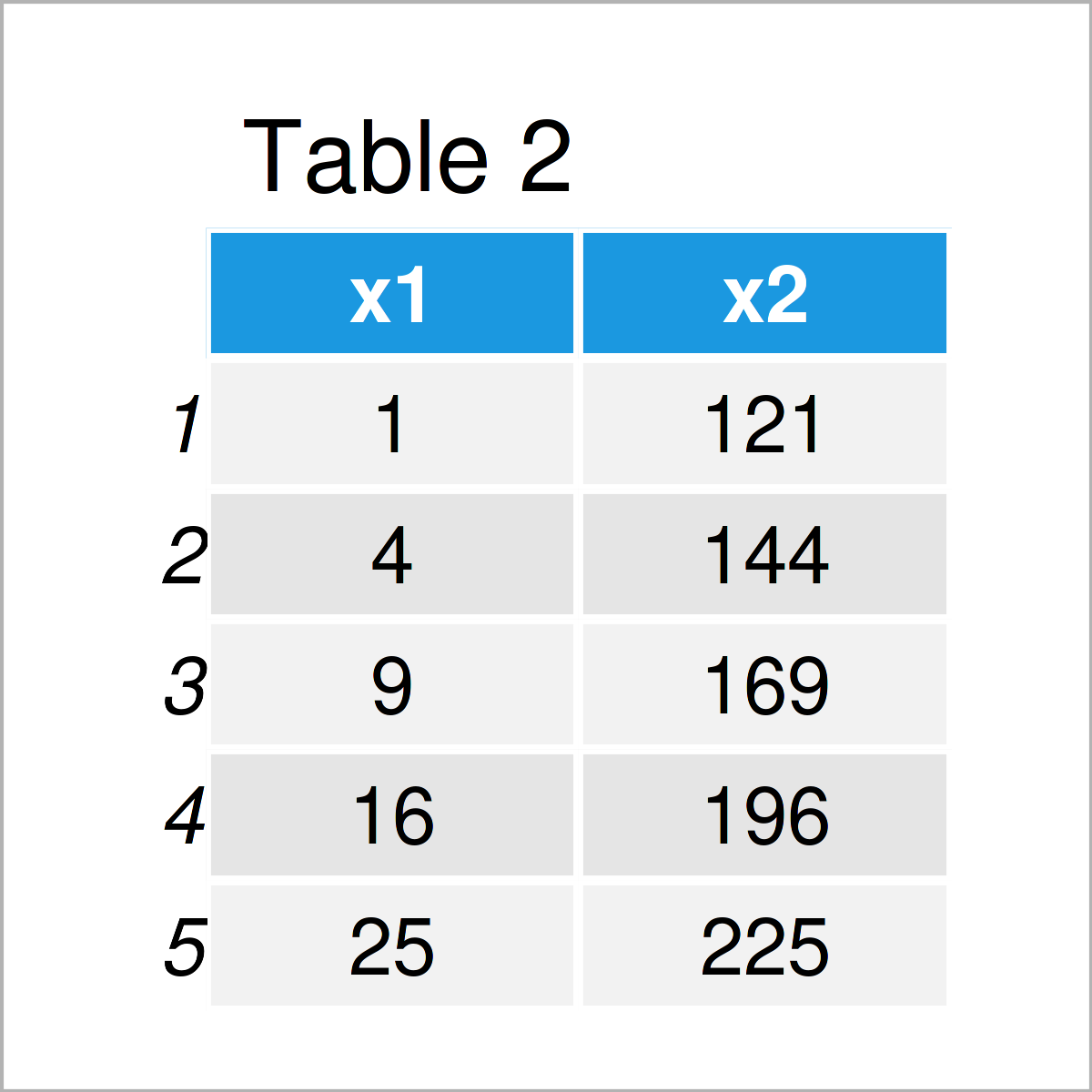
By executing the previous code, we have constructed Table 2, i.e. an updated version of our data frame.
Looks good, doesn’t it?
However, if we print our data frame once again without wrapping the function around it, the original input data is returned:
my_data # Updating data frame via function doesn't work
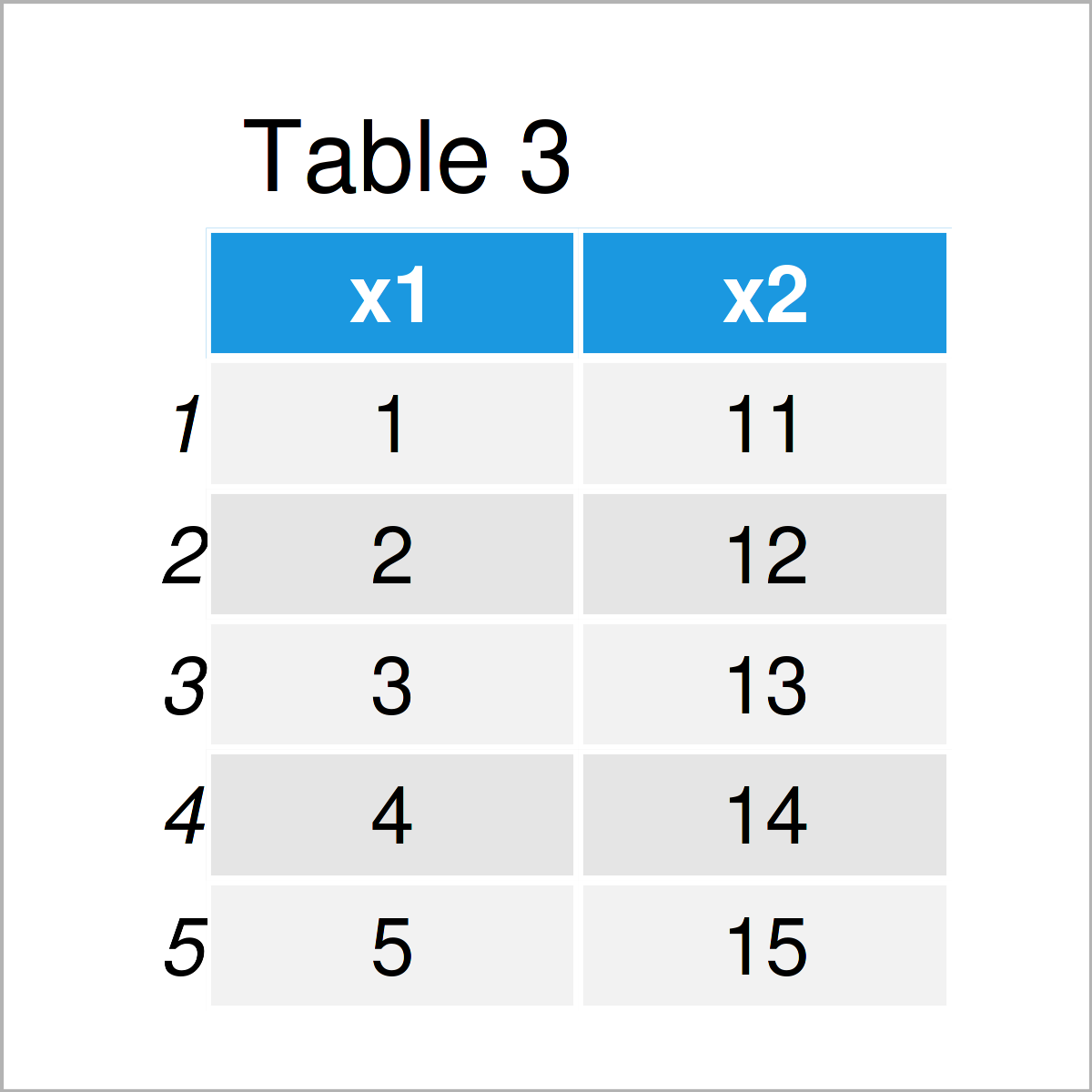
The reason for this is that our function has a different environment inside and outside the function.
For that reason, we have to store the output of our function in a new data object (in this case, we are just updating the content of the input data):
my_data <- my_fun(my_data)         # Properly store output of function
my_data                            # Print updated data frame
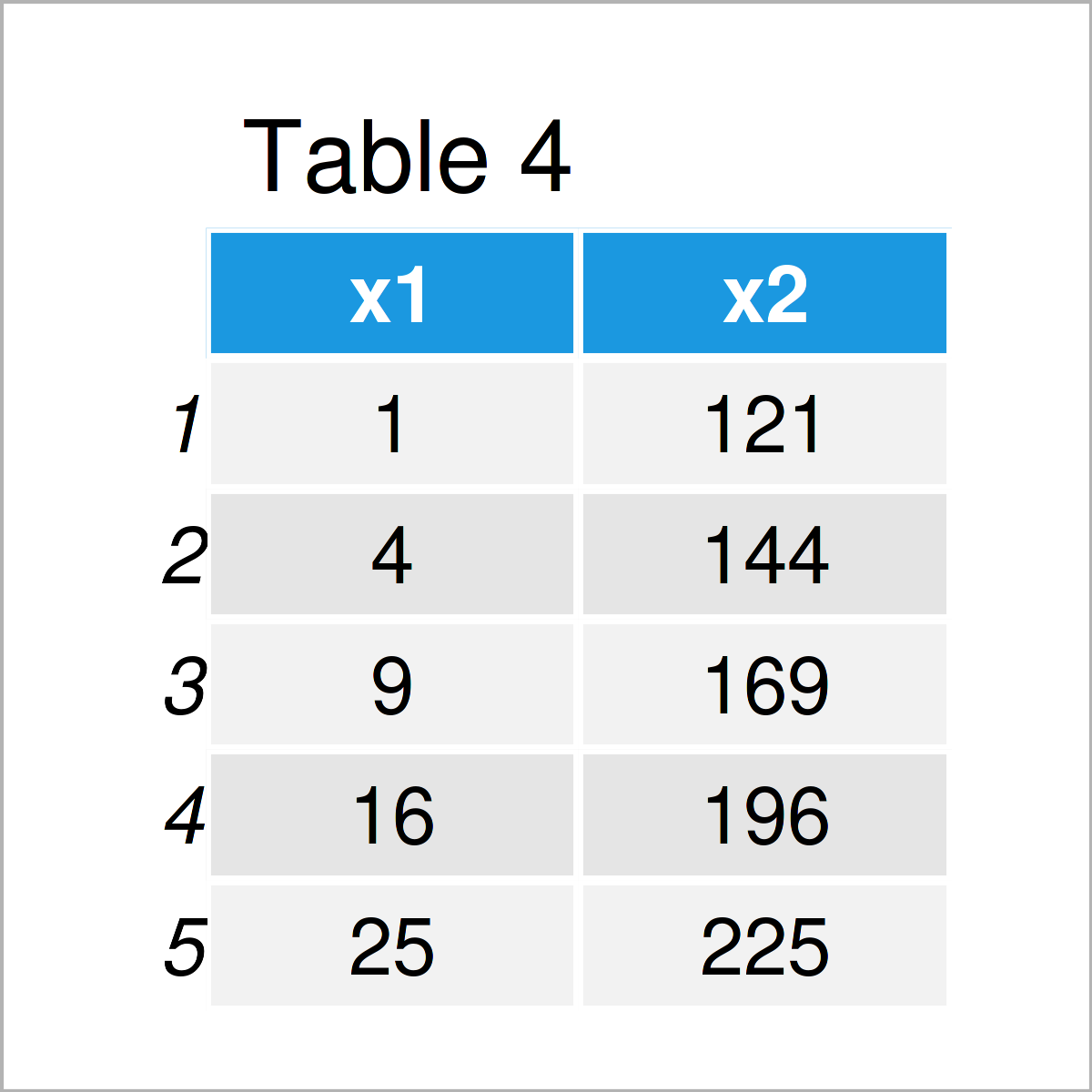
As shown in Table 4, the previously shown R code has created an updated version of our data frame.
Video & Further Resources
Have a look at the following video on my YouTube channel. I’m explaining the R codes of this tutorial in the video.
In addition to the video, you may want to have a look at the related tutorials on my homepage. You can find some other articles below.
- Replace Values in Data Frame Conditionally
- Replace Entire Data Frame Column in R
- Return Multiple Objects from User-Defined Function
- Access & Manipulate Body of Function in R
- Useful Commands in R (+ Examples)
- Introduction to R
To summarize: In this R programming tutorial you have learned how to modify a data frame with a function call. Let me know in the comments section, if you have any further questions.

I’m Joachim Schork. On this website, I provide statistics tutorials as well as code in Python and R programming.
Statistics Globe Newsletter
Get regular updates on the latest tutorials, offers & news at Statistics Globe. I hate spam & you may opt out anytime: Privacy Policy.