







Read Only Header of File in R (2 Examples)
In this article, I’ll illustrate how to import only the header of an external file in the R programming language.
Table of contents:
Let’s dive right in!
Creation of Exemplifying Data
The first step is to create some data that we can use in the example code below:
data <- data.frame(x1 = 1:3,       # Create example data
                   x2 = letters[3:1],
                   x3 = "x")
data                               # Print example data
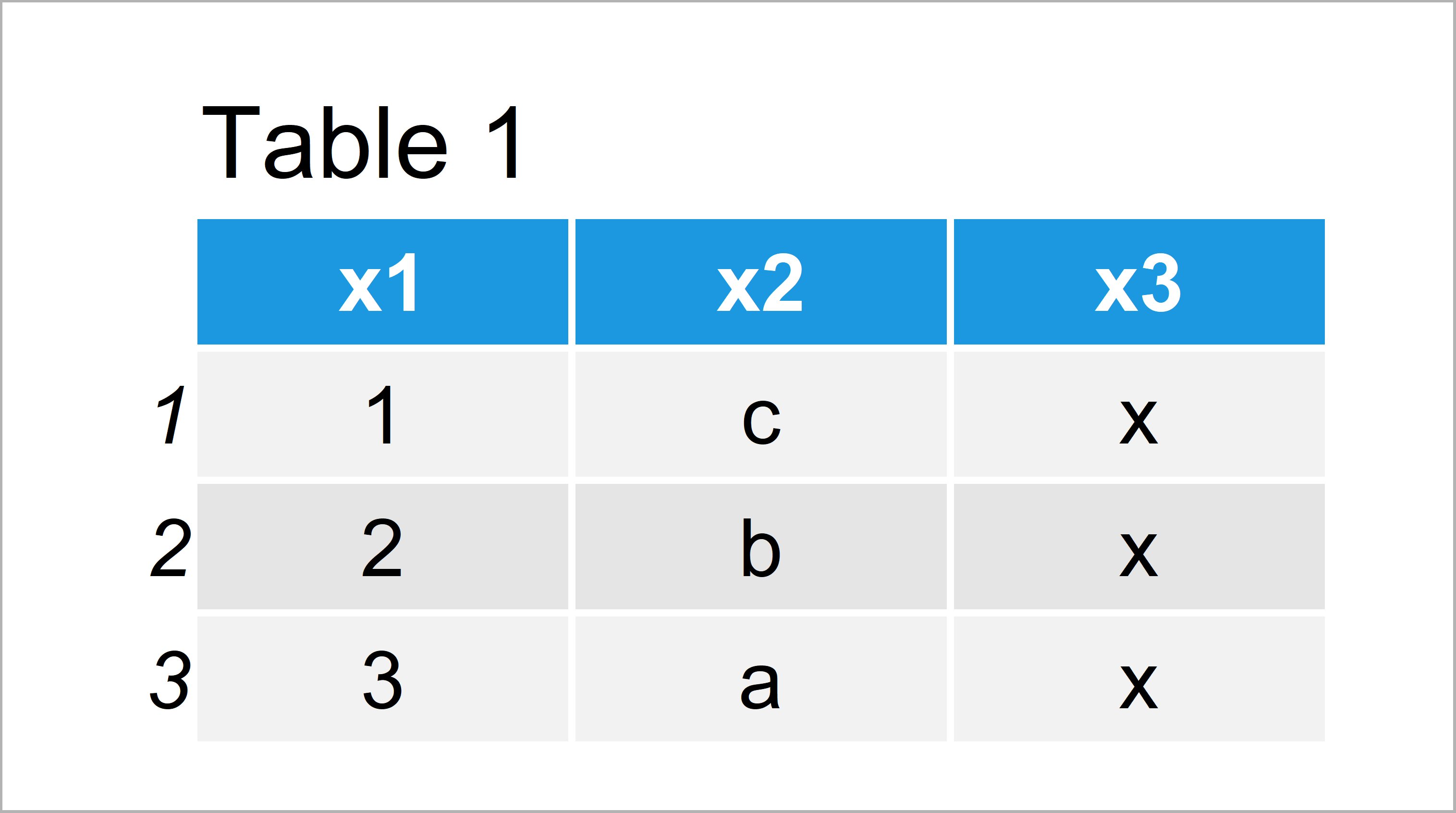
Table 1 visualizes the output of the RStudio console that got returned after executing the previous R code and shows that our example data contains three rows and three columns.
Let’s export this example data as CSV file to our computer:
write.csv2(data,                   # Export example data to directory
           "data.csv",
           row.names = FALSE)
After running the previous R code, you should find a CSV file called data.csv in your working directory.
Example 1: Read Only Header of CSV File Using read.table() Function
In this example, I’ll illustrate how to read only the header of our CSV file into a data frame with zero rows.
For this, we can apply the read.table function in combination with the head and nrows arguments:
read.table("data.csv",             # Read only header of example data
           head = TRUE,
           nrows = 1,
           sep = ";")[- 1, ]
# [1] x1 x2 x3
# <0 rows> (or 0-length row.names)
Have a look at the previous output of the RStudio console: It shows the header of our data without any rows.
Example 2: Read Only Column Names of CSV File Using colnames() Function
It is also possible to import only the column names of an external file into R. We can do that using a combination of the read.csv2 and colnames functions:
colnames(read.csv2("data.csv"))    # Read only column names of example data
# [1] "x1" "x2" "x3"
As you can see, the RStudio console returns the column names of our data frame as a character string vector.
Video, Further Resources & Summary
Do you need more info on the R programming syntax of this tutorial? Then I recommend watching the following video that I have published on my YouTube channel. I’m explaining the content of the present article in the video:
The YouTube video will be added soon.
In addition, you may have a look at the other articles of this website:
- Read All Worksheets of Excel File into List
- scan Function (5 Example Codes) in R
- Read Fixed Width Text File in R
- Read xlsx & xls Excel File in R
- The R Programming Language
To summarize: In this R programming tutorial you have learned how to get only the column names or the header of a file. Please let me know in the comments, in case you have additional questions and/or comments.

I’m Joachim Schork. On this website, I provide statistics tutorials as well as code in Python and R programming.
Statistics Globe Newsletter
Get regular updates on the latest tutorials, offers & news at Statistics Globe. I hate spam & you may opt out anytime: Privacy Policy.