Remove Columns with Duplicate Names from Data Frame in R (2 Examples)
In this tutorial you’ll learn how to keep each column name only once in a data frame in the R programming language.
Table of contents:
Let’s just jump right in:
Example Data
The first step is to construct some data that we can use in the exemplifying syntax later on:
data <- data.frame(x1 = 1:5,                       # Create example data
                   x1 = 6:10,
                   x3 = 11:15)
colnames(data) <- c("x1", "x1", "x3")
data                                               # Print example data
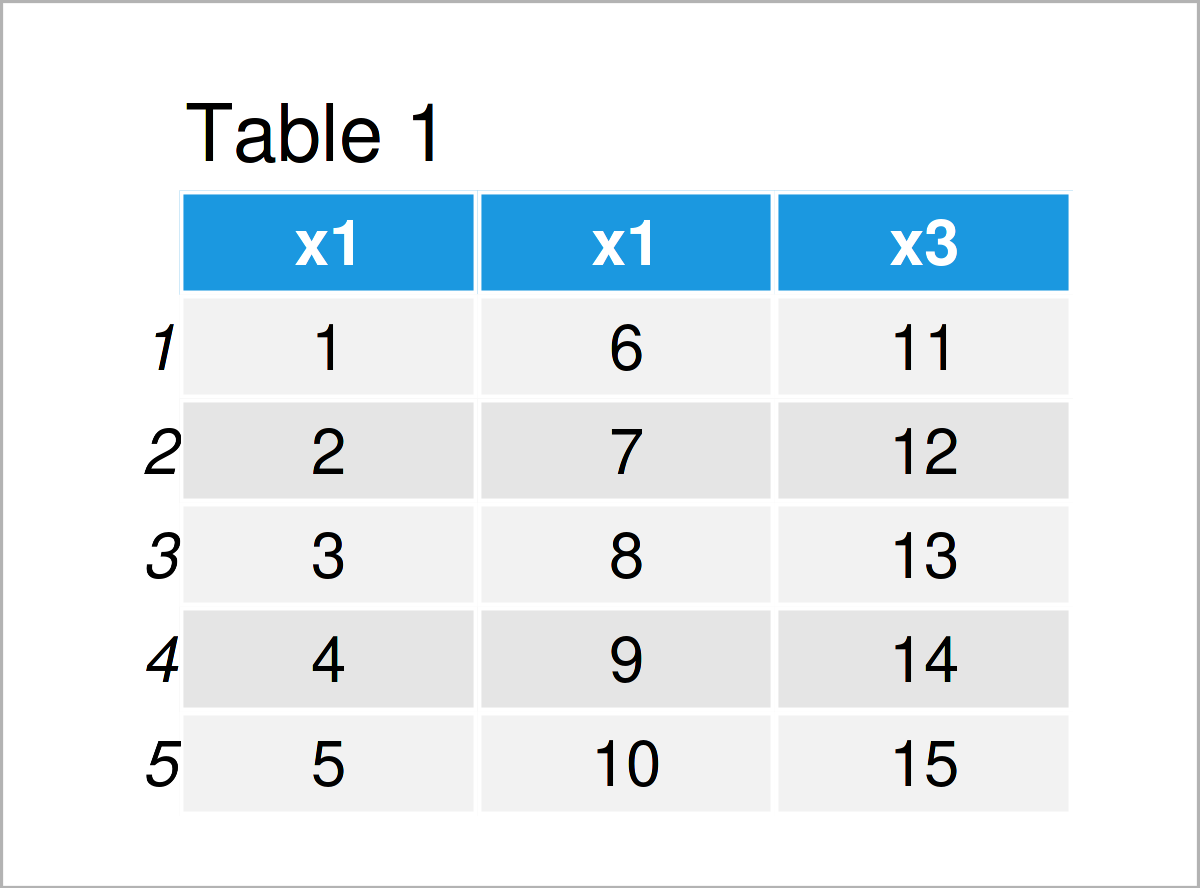
Table 1 shows the structure of our example data frame: It has five rows and three integer columns. Note that the first two columns are both called “x1”.
Example 1: Delete Columns with Duplicate Names Using duplicated() & colnames() Functions
In Example 1, I’ll show how to exclude all variables from a data frame that have a duplicated column name.
For this, we can apply the duplicated and colnames functions as shown below:
data_new1 <- data[ , !duplicated(colnames(data))]  # Remove duplicate column names
data_new1                                          # Print data without duplicates
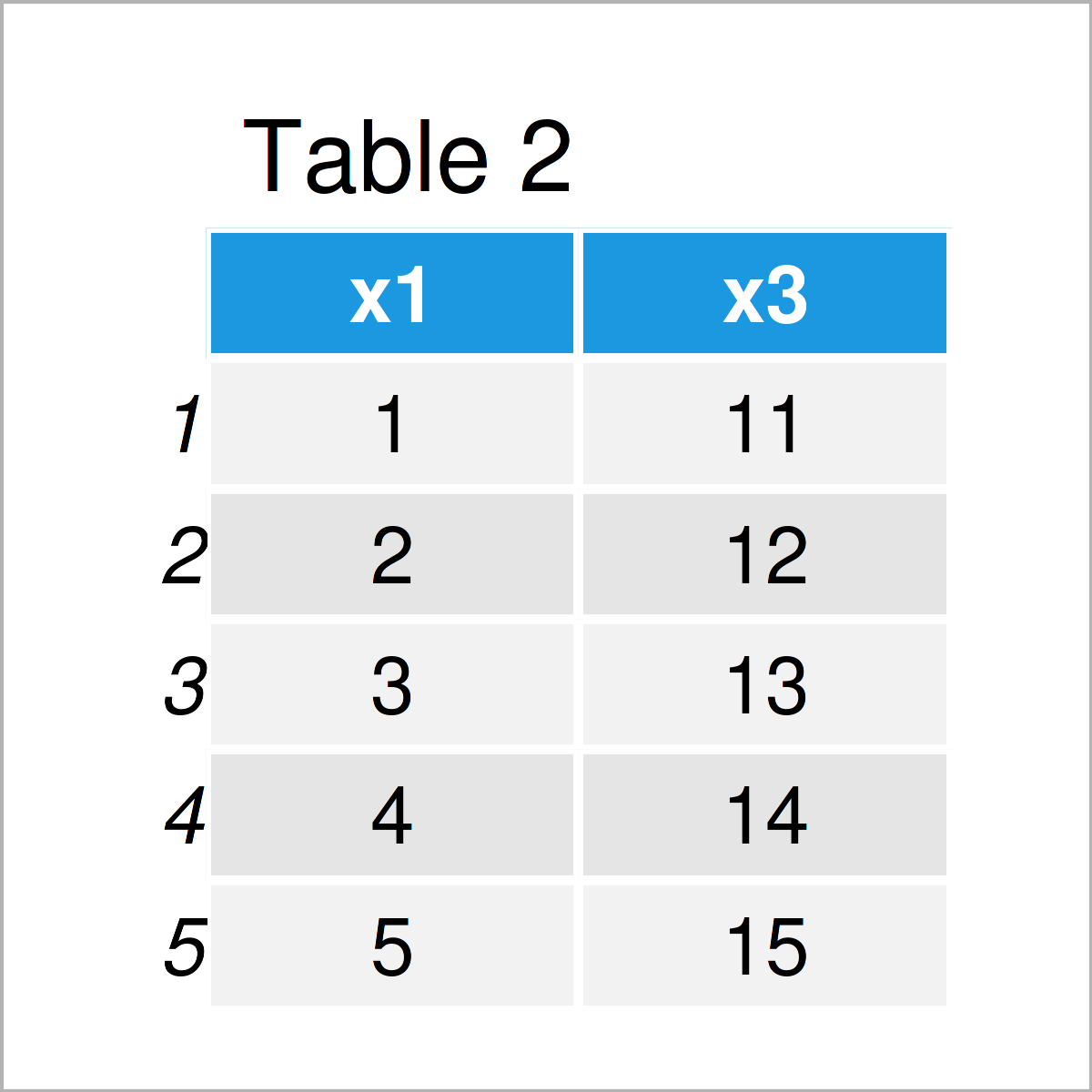
As shown in Table 2, we have created a new data frame where the first appearance of the column name x1 was kept, but the second appearance was removed.
Please note that both of these x1 columns contained different values. So please ensure that the removal of one of these variables is theoretically justified!
However, let’s move on to the next example!
Example 2: Remove Columns with Duplicate Names on the Left Side of the Data Frame
This example illustrates how to remove the first occurrence of a duplicate variable name and retain the second occurrence.
For this, we have to specify the fromLast argument within the duplicated function to be equal to TRUE:
data_new2 <- data[ , !duplicated(colnames(data),   # Remove duplicates on left side
                                 fromLast = TRUE)]
data_new2                                          # Print data without duplicates
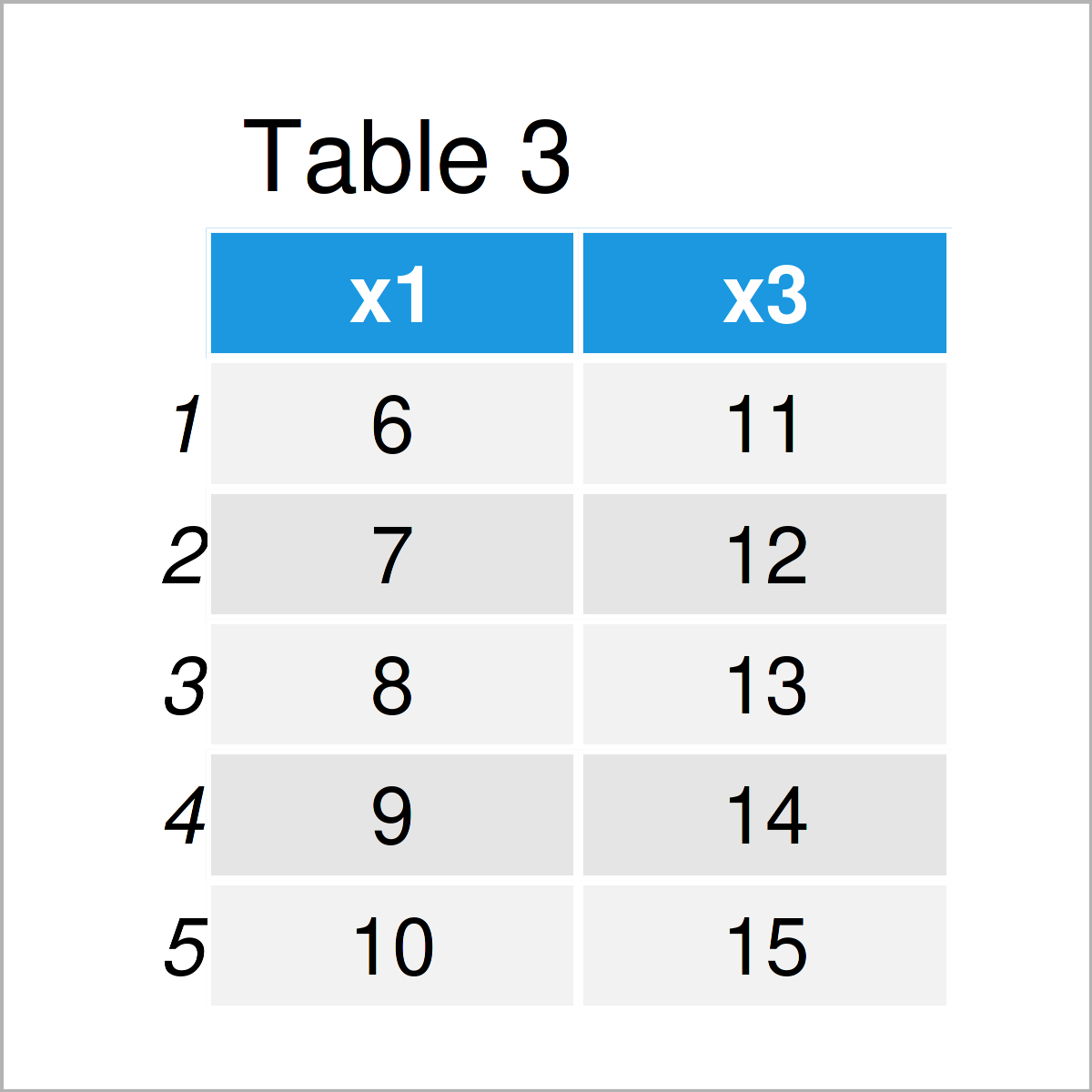
Table 3 shows the output of the previous code – We have created another data frame where the firs column of our input data matrix was removed, but the second column was kept.
Video, Further Resources & Summary
Have a look at the following video on my YouTube channel. In the video, I illustrate the R syntax of this article:
Furthermore, you might read some related R articles which I have published on my website. I have published numerous articles already.
- Remove Data Frame Columns by Name in R
- Remove All-NA Columns from Data Frame
- Introduction to R Programming
In this article, I have shown how to remove every duplicated column name from a data frame and keep only unique column names in the R programming language. Let me know in the comments section, if you have any further questions.

I’m Joachim Schork. On this website, I provide statistics tutorials as well as code in Python and R programming.
Statistics Globe Newsletter
Get regular updates on the latest tutorials, offers & news at Statistics Globe. I hate spam & you may opt out anytime: Privacy Policy.